Live Transcription & Translation Settings
Reference for the in-session toolbar and app-level settings. For the basic flow see Live Transcription on Mobile.

Where each setting lives

Setting groupLocation
Audio playback, output, inputIn-session → 🔊 Audio
Text size, colors, Face-to-faceIn-session → TT Text display
Custom Phrase, Dictionary, Vocabulary, Default summary templateApp-level → ⚙ Settings

Audio

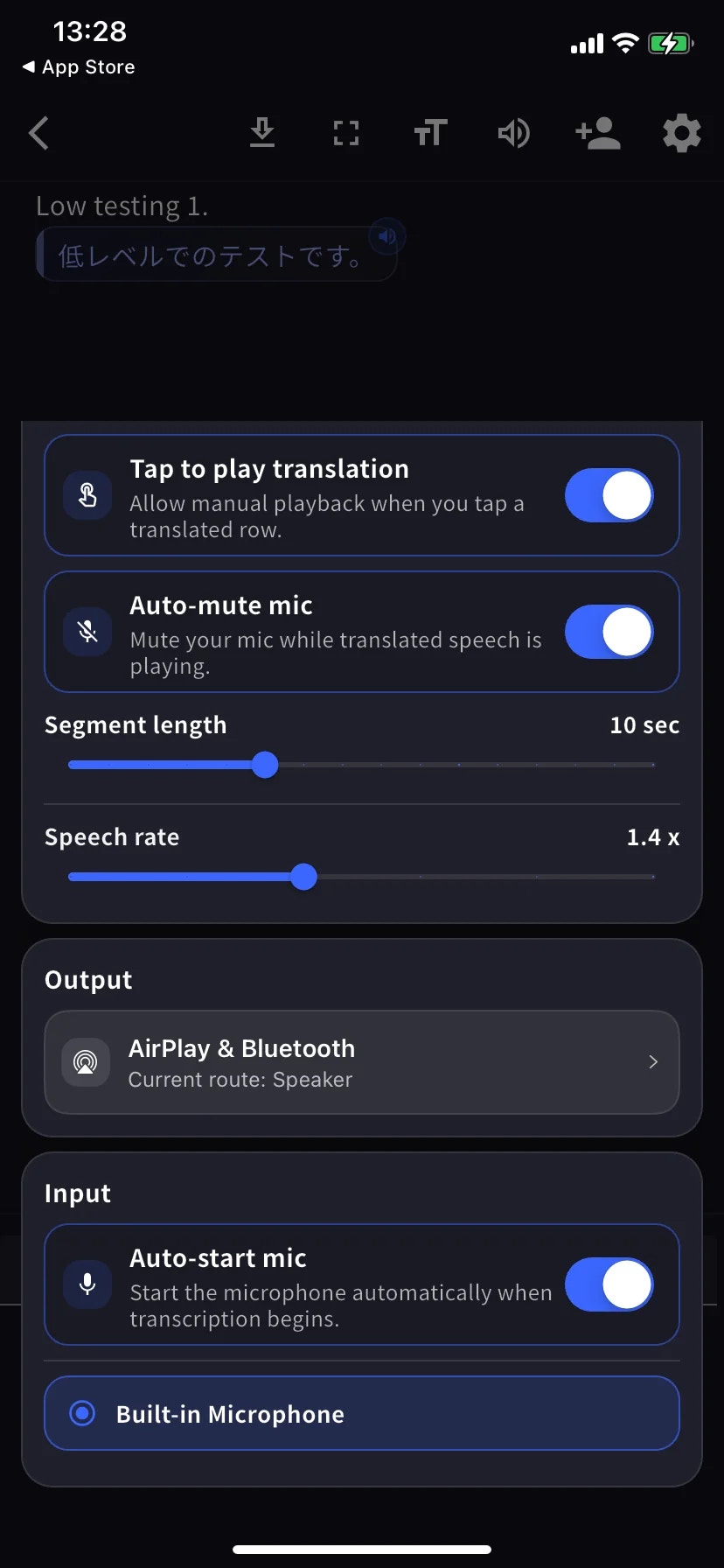
The Audio sheet is a single scrolling menu — the two screenshots below show the top (Playback) and bottom (Output / Input) of the same screen.
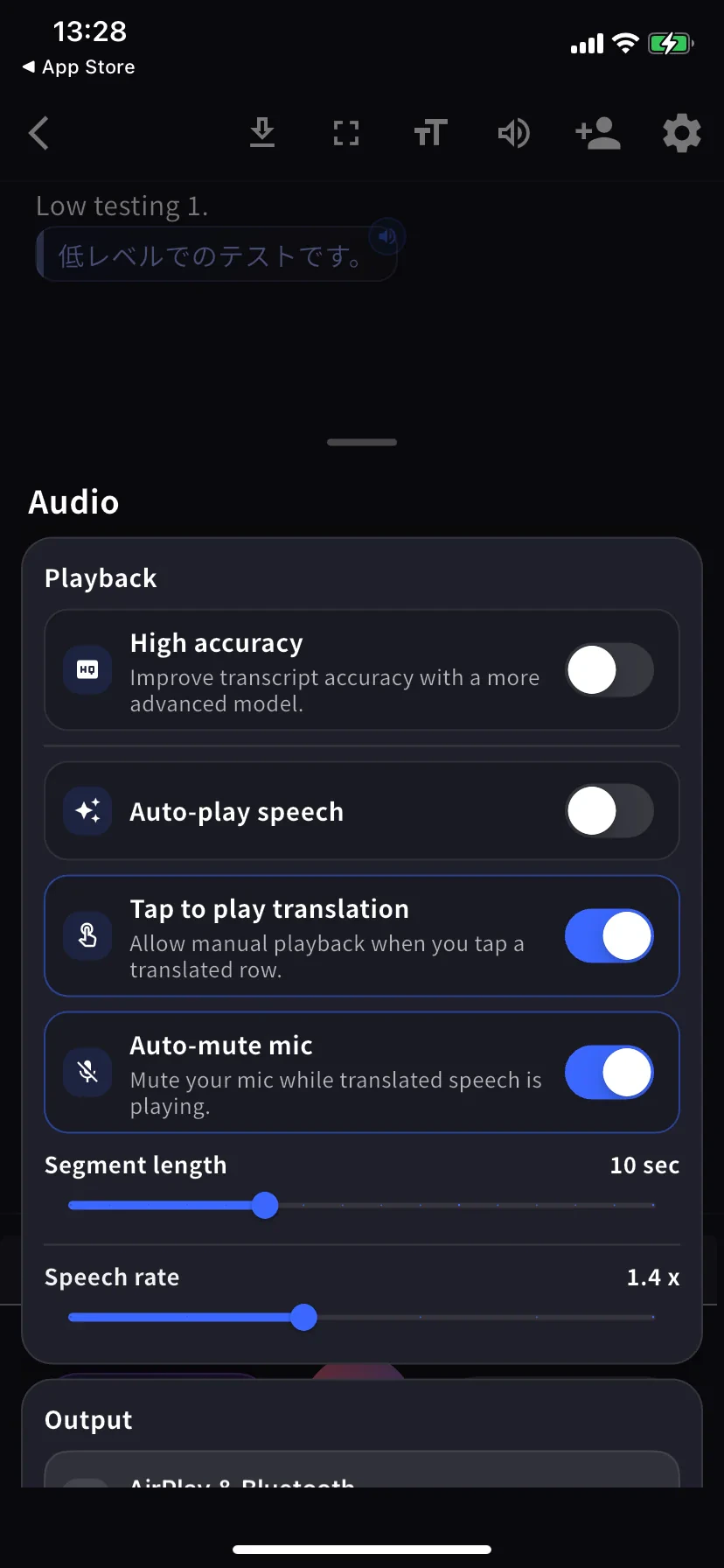
Audio sheet — Playback section
Audio sheet — Output and Input sections
SettingWhat it does
High accuracyMore accurate model, higher latency / battery cost.
Auto-play speechPlays each translated row aloud automatically.
Tap to play translationTap a row to play its translation.
Auto-mute micMutes mic during playback so it isn’t re-transcribed.
Segment lengthHow long before a row is finalised. Default 10 sec.
Speech ratePlayback speed. Default 1.4×.
OutputRoute translated speech to AirPlay, Bluetooth, headphones, or built-in speaker.
Auto-start micStart mic automatically when transcription begins.
Mic sourceBuilt-in / wired / Bluetooth — selected mic has a blue ring.

Text display

Tap TT in the in-session toolbar.
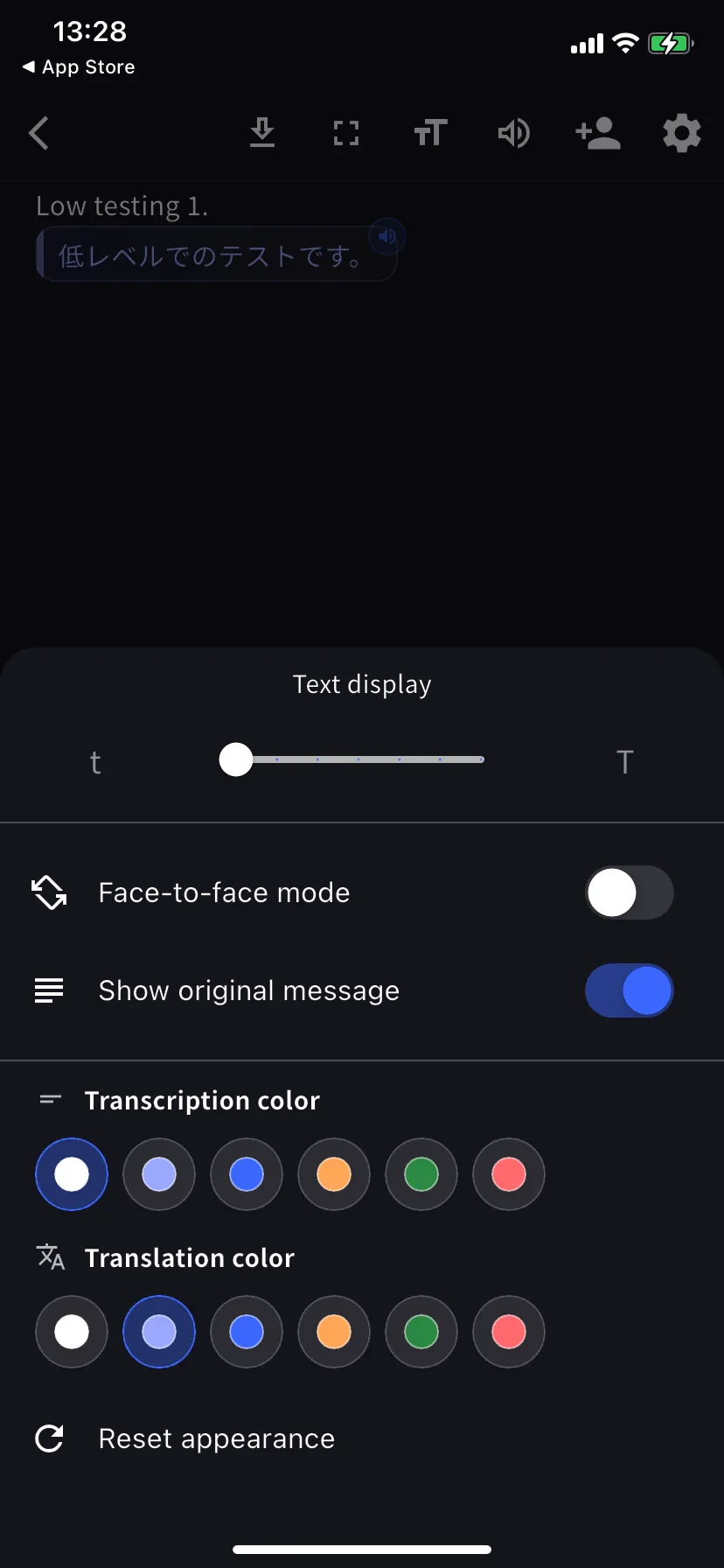
Text display settings
SettingWhat it does
Text sizeLarger for hand-off across a table or projection.
Face-to-face modeRotates translation half 180° for the person opposite.
Show original messageOff = translation-only view.
Transcription / Translation colorSix choices each. Pick contrasting colors for face-to-face.

App-level settings

Home screen → ⚙ gear.
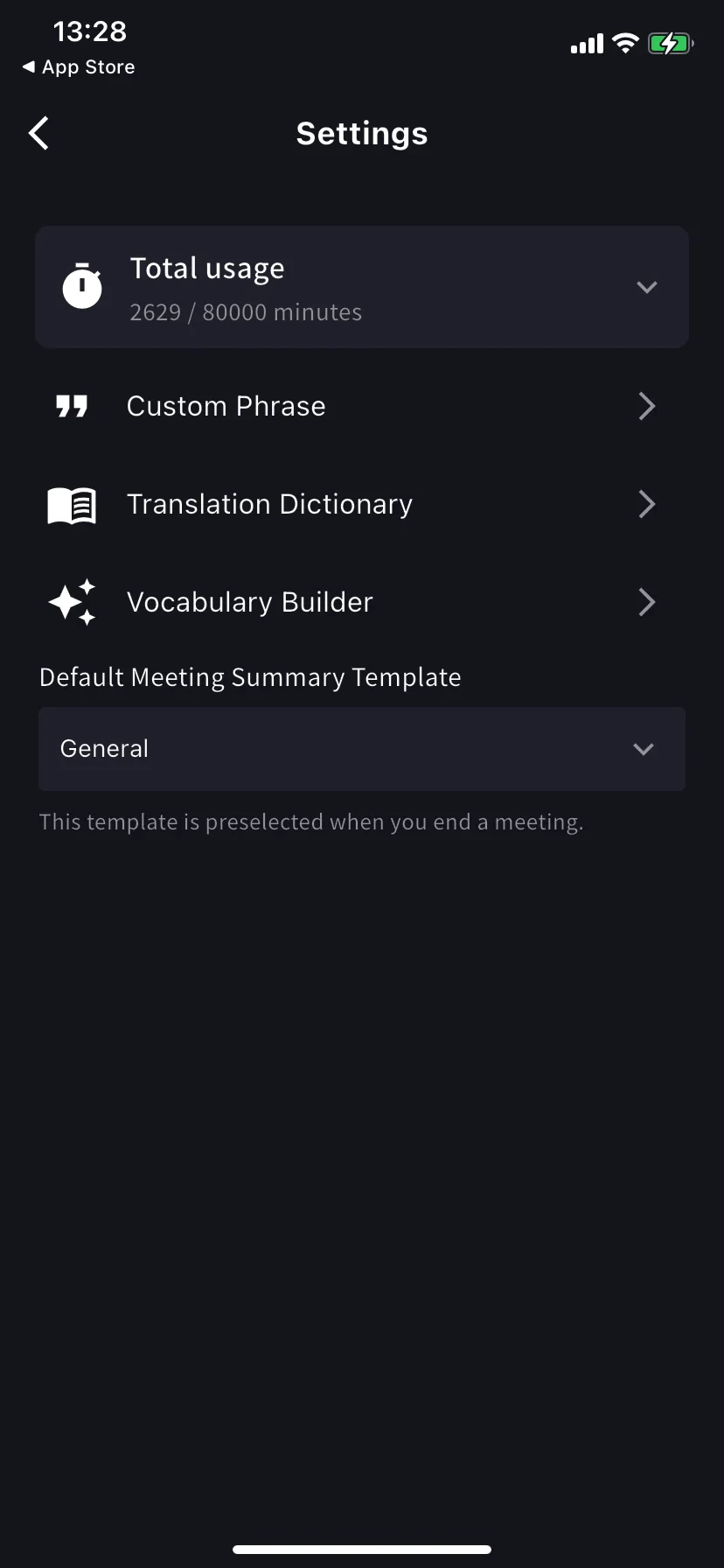
App settings
SettingWhat it does
Total usagePlan minutes used / available this cycle.
Custom PhraseProper nouns / acronyms transcribed exactly. Personal and workspace lists supported.
Translation DictionaryTerm-level translation overrides. Personal and workspace lists supported — same as desktop. See Dictionary.
Vocabulary BuilderBuild personal or workspace vocabulary lists — see Vocabulary Builder.
Default summary templatePreselected on the End-meeting form.
High accuracy on · Auto-play off · Tap-to-play on · Bilingual on · Face-to-face on · Text size large so the other person can read from their side.
Plug in a wired or Bluetooth headset · Segment length 12-15 sec · Text size large.
Auto-play on · Segment length 5 sec · Speech rate 1.0-1.2× · Output to Bluetooth speaker or headphones.
Fullscreen on · Text size max · Face-to-face on · Show original off if they only need the translation.

Tips

  • Plug in your preferred mic before tapping Start — the route is sticky.
  • Settings changes apply immediately, no restart needed.