
What is a Group
A group organizes workspace members by team, department, or another structure used by your organization.Only workspace owners and managers can create, edit, or delete groups.
Open Manage Group
- Open VoicePing and select Admin from the left sidebar.
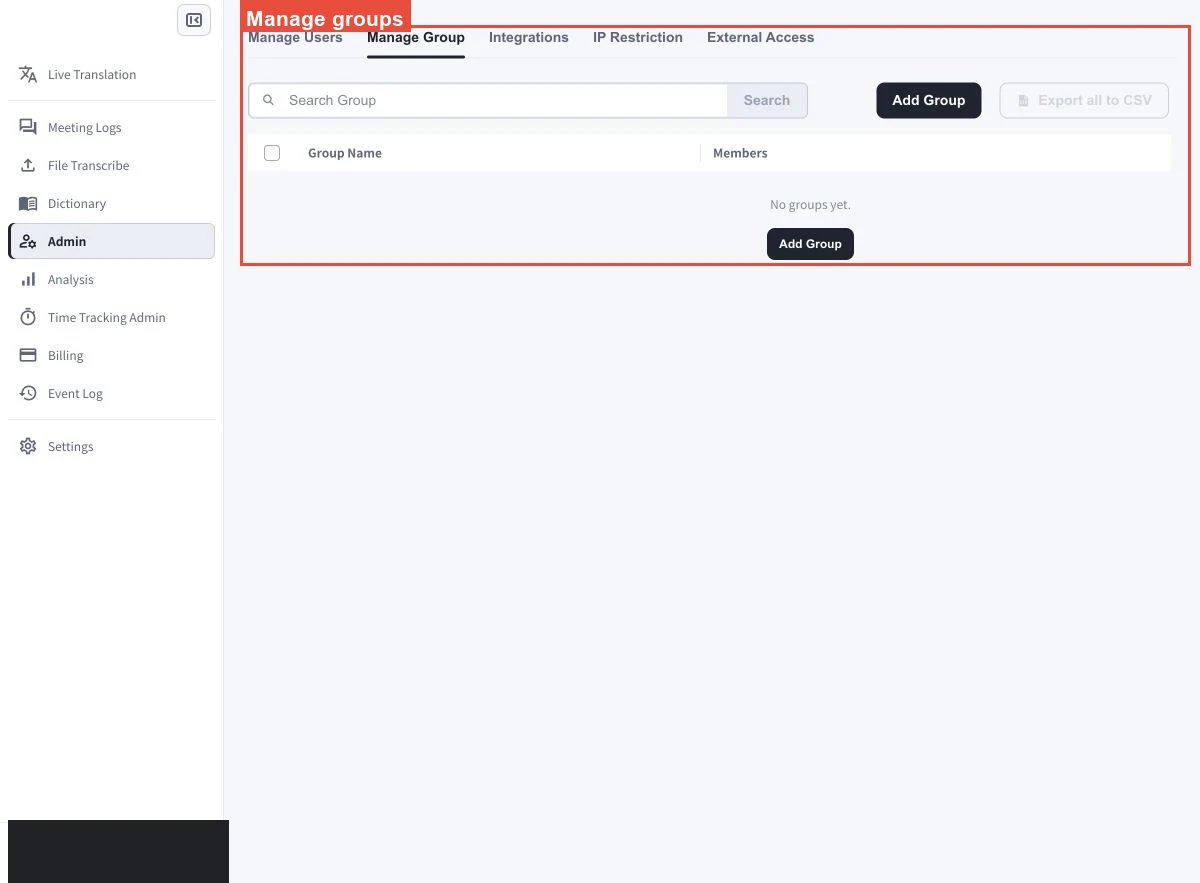
- Select the Manage Group tab. Use Search Group to filter the list, or use the CSV controls to export all or selected groups.
Create a Group
- Open VoicePing and select Admin from the left sidebar.
- Select the Manage Group tab.
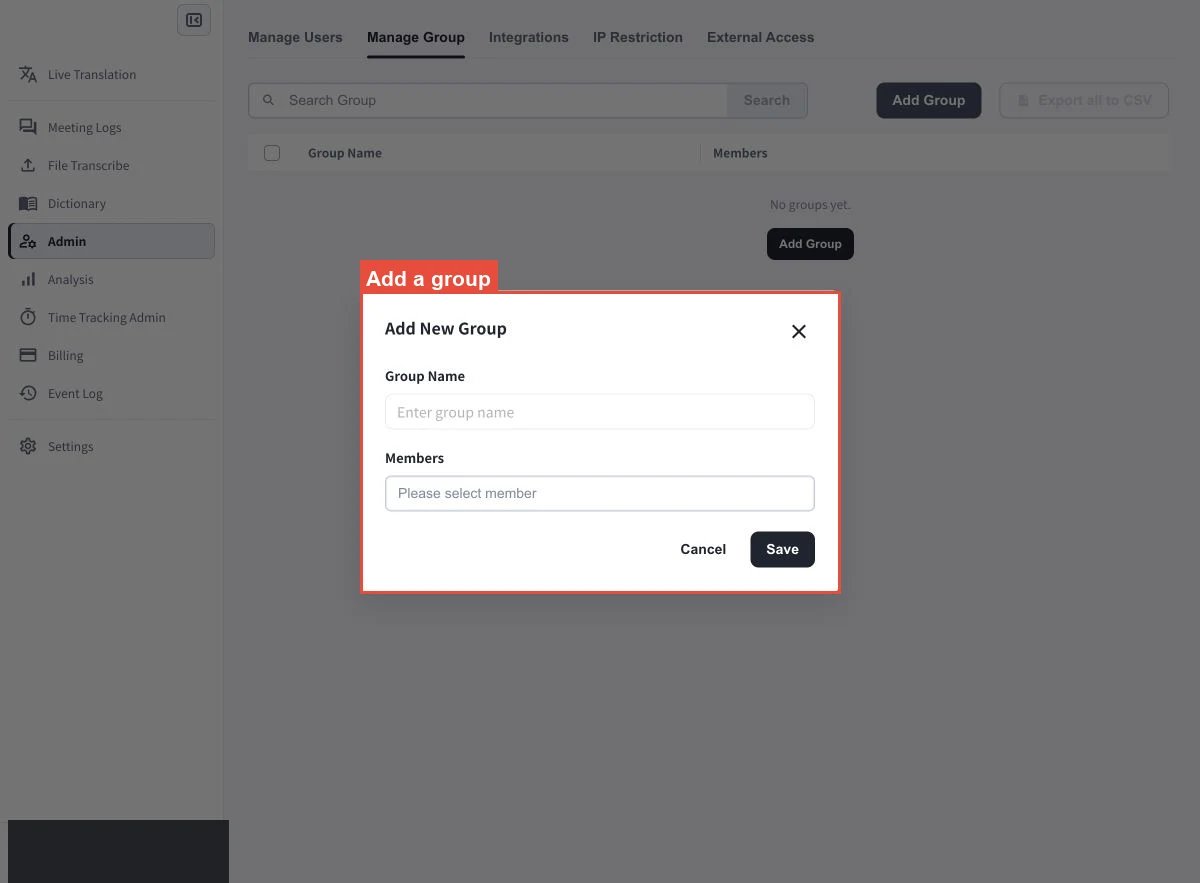
- Select Add Group.
- Enter a name in Group Name.
- Open Members and select the workspace members to include.
- Select Save.
Screen Guide
Manage an Existing Group
Select a group from the Manage Group page.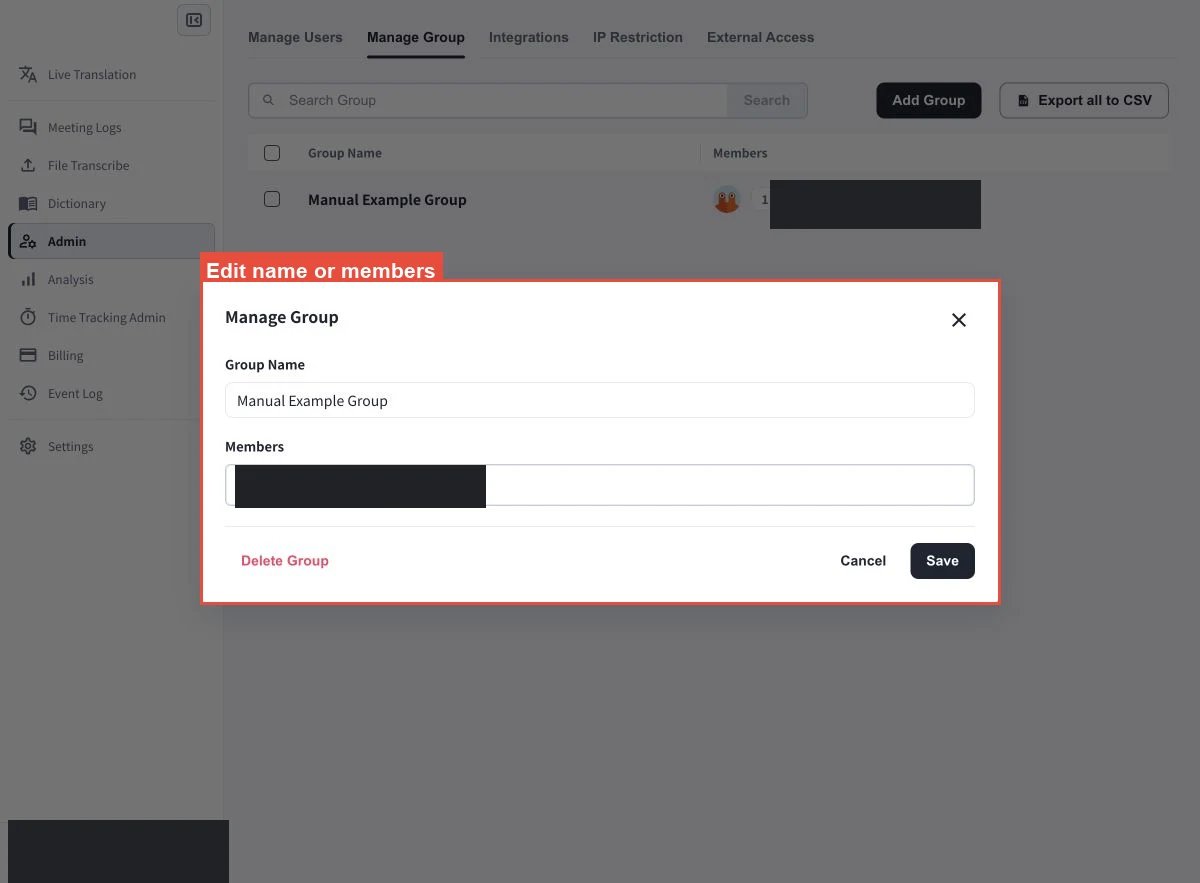
Add or Remove Members
- Open Members for the selected group.
- Select the members to add and clear the members to remove.
- Select Save.
Change the Group Name
- Edit Group Name for the selected group.
- Select Save.
Delete a Group
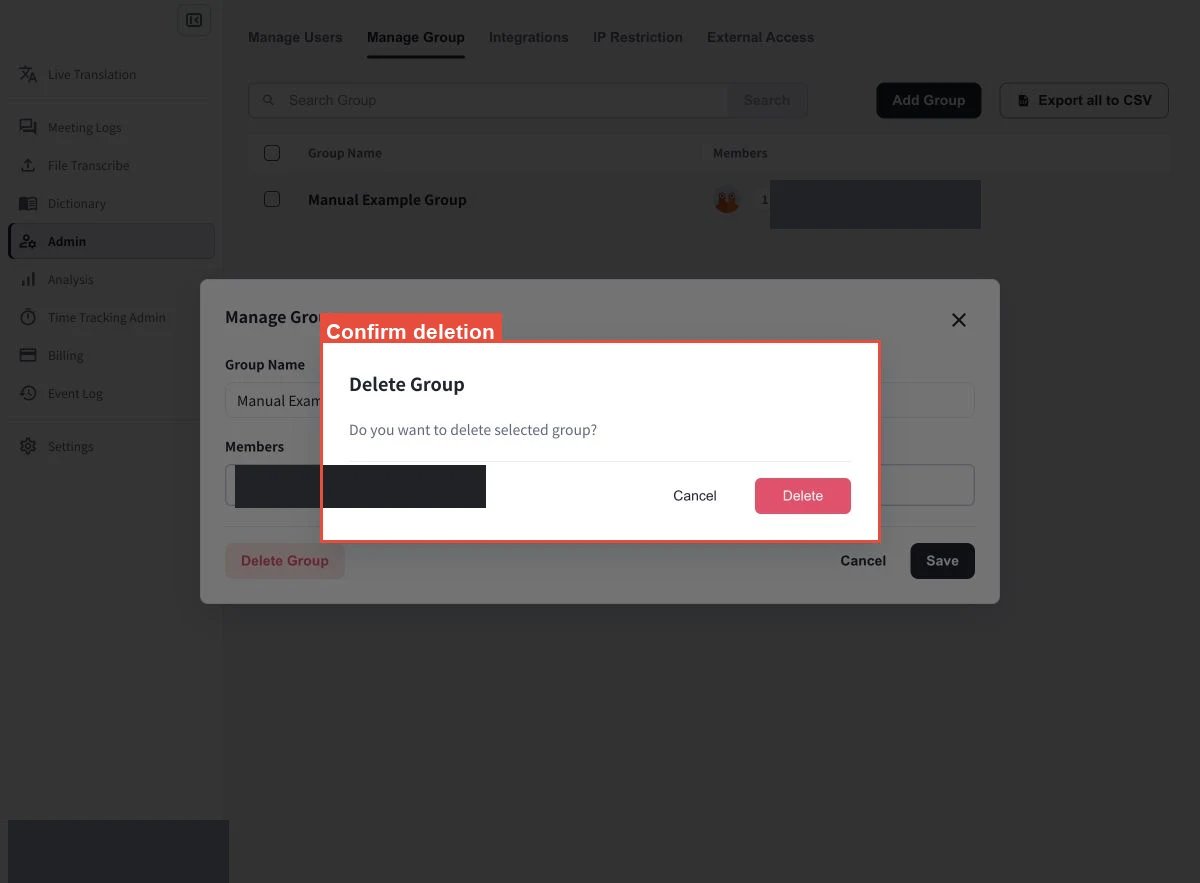
- Select the delete action for the group.
- Review the selected group and confirm the deletion.
Official Links
Official Website
Visit our official website
X (Twitter)
Follow us on X
Like us on Facebook
Connect on LinkedIn