
Sign Out of Your Account
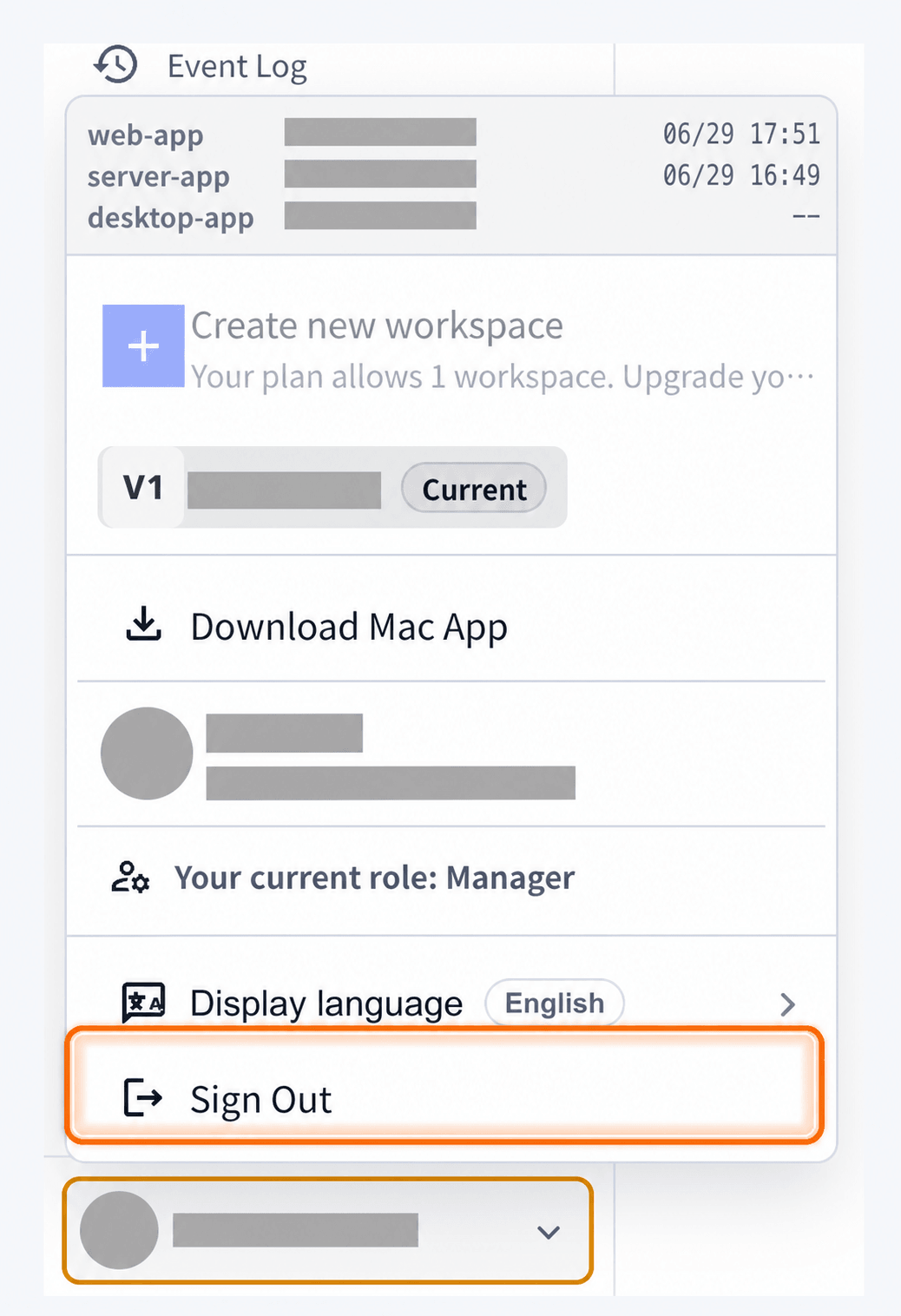
Use Sign Out when you want to leave the current VoicePing account or switch accounts. Signing out does not fully quit the desktop app.- Click your profile menu in the bottom-left corner.
- Click “Sign Out”.
For Windows OS
Step 1: Open Hidden Indicators
Left-click the hidden indicators icon in the bottom right of the taskbar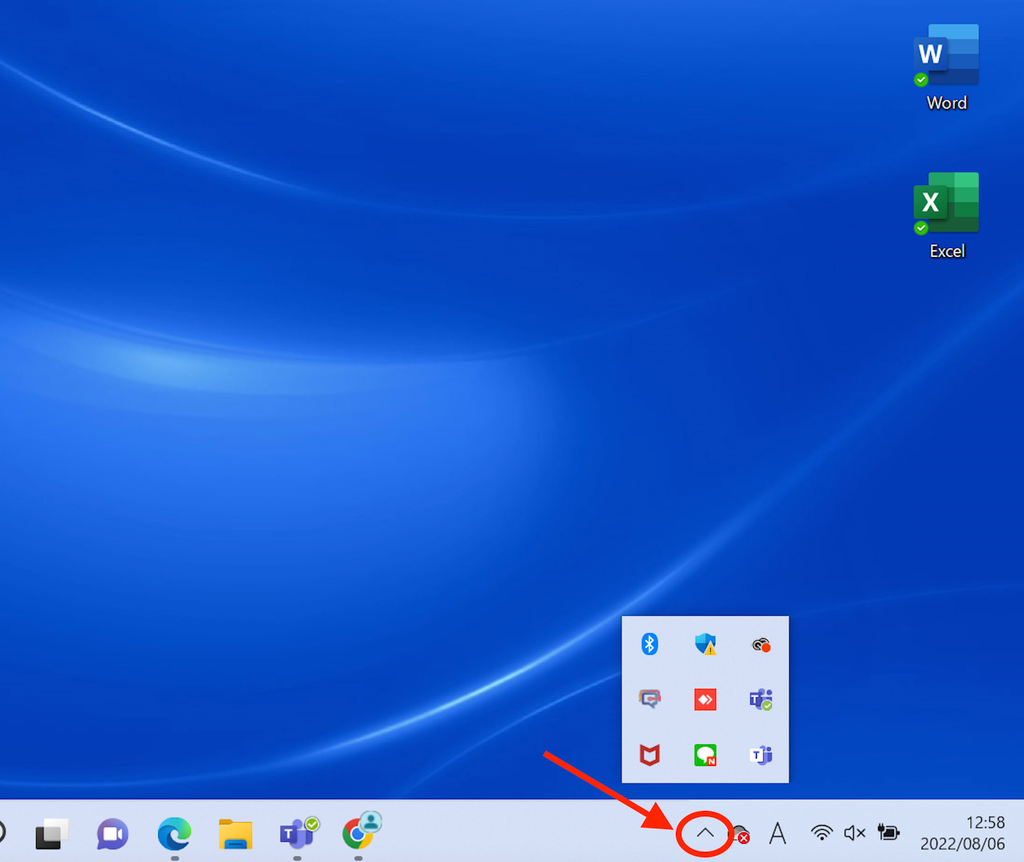
Step 2: Right-Click the VoicePing App
Right-click the VoicePing app icon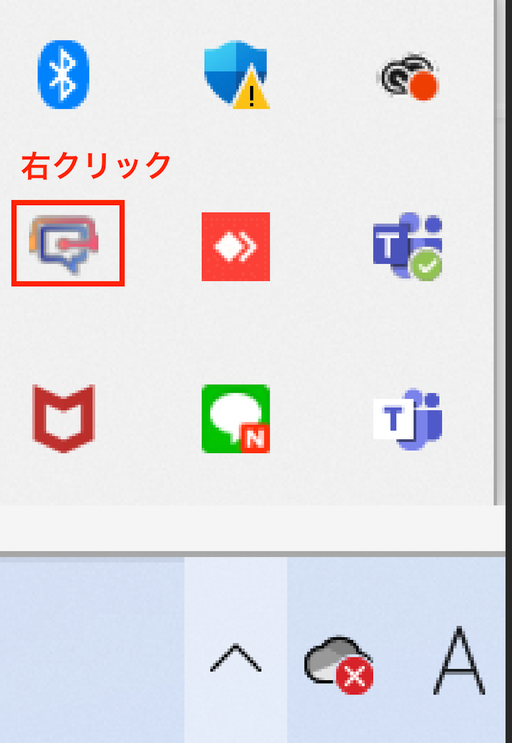
Step 3: Quit the App
Click “Quit VoicePing”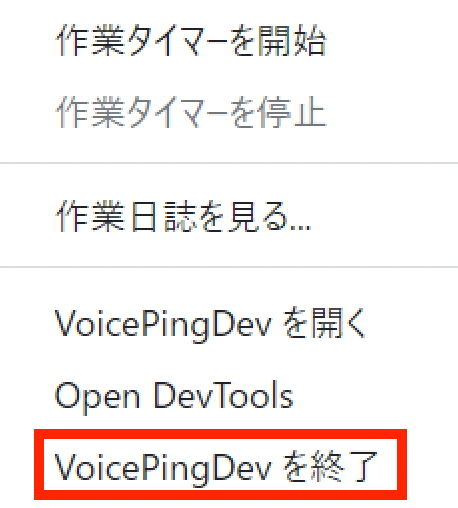
For Mac OS
Step 1: Right-Click the App
Right-click the VoicePing app from the Dock showing currently running applications at the bottom rightStep 2: Click Quit
Click “Quit”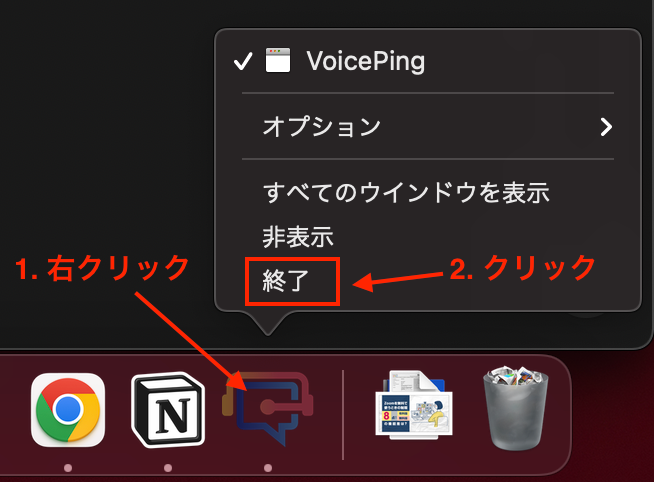
Official Links
Official Website
Visit our official website
X (Twitter)
Follow us on X
Like us on Facebook
Connect on LinkedIn