
On PC (Billing tabs)
Open top nav → Billing. Three desktop tabs cover invoice and audit workflows:Invoice Details
Set the name, email, and phone that Stripe stamps onto your invoice PDFs.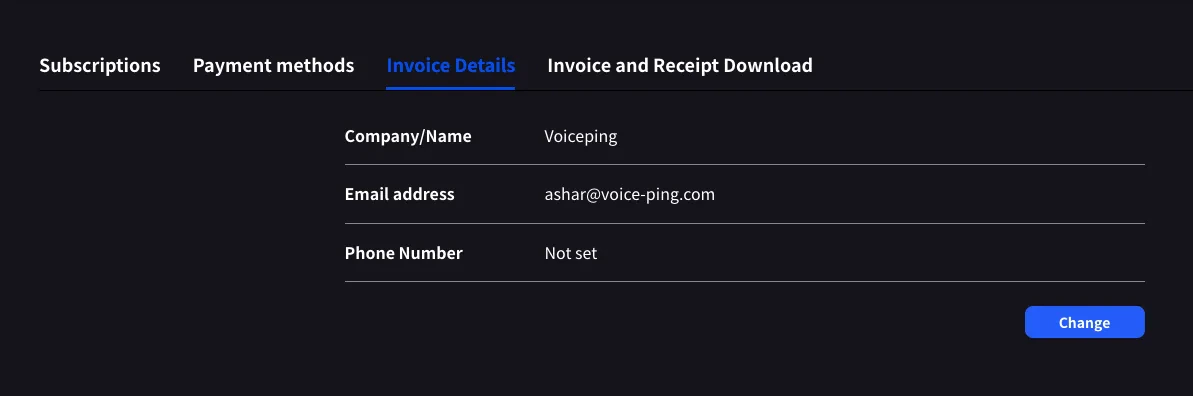
Invoice and Receipt Download
Every completed charge appears as a row with month, plan name, status, amount, and download buttons for both the invoice PDF and the receipt.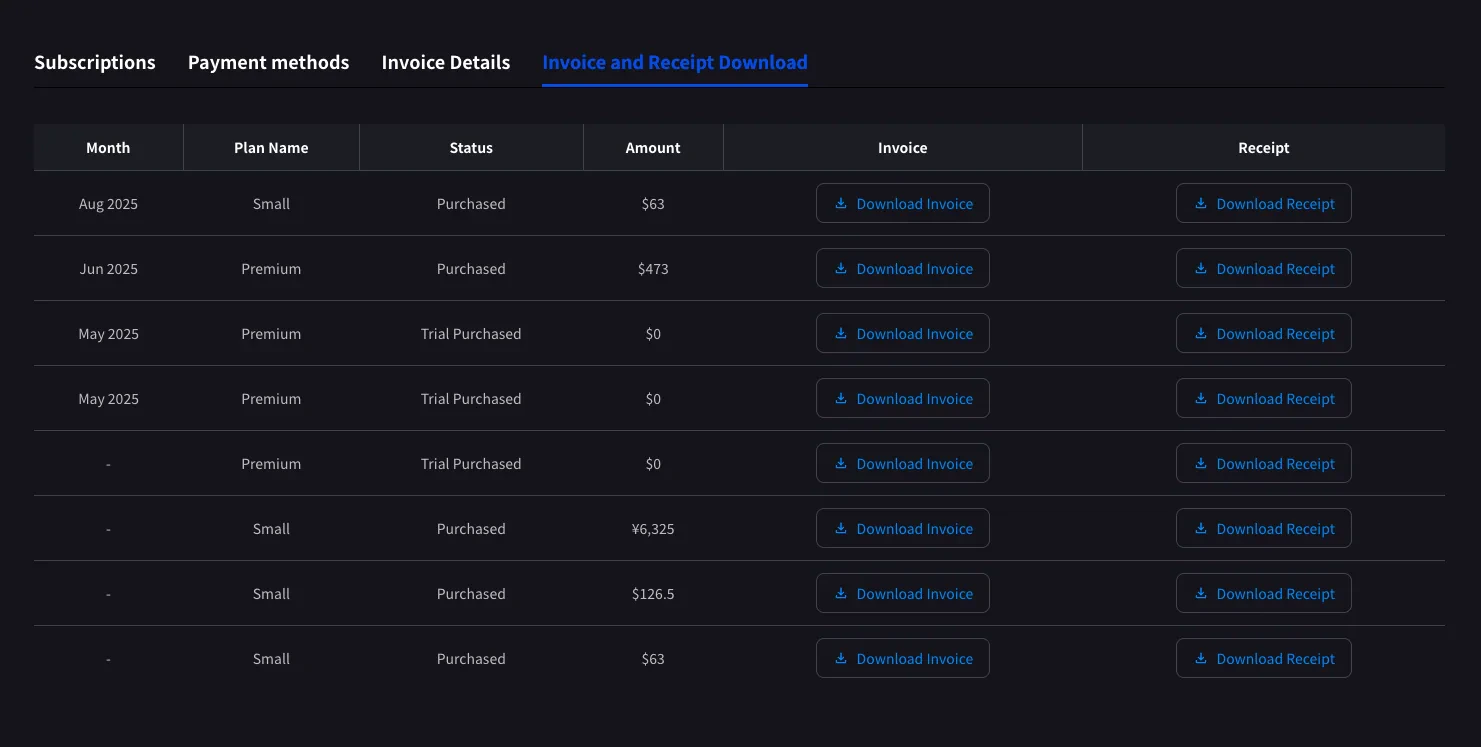
Only completed charges appear here. Scheduled plan changes show up after the next billing date, once Stripe generates the invoice.
$0 rows with status Trial Purchased are logged too — useful for tracking when a trial began.Billing History
Use Billing History when you need the full audit trail, not only completed invoice rows.On Mobile (Billing hub)
The mobile app collapses the same invoice features into the Billing hub, plus a Billing Activity log for subscription moves on mobile.1
Open the Billing hub
Open the side menu from the home screen, tap Billing (cart icon).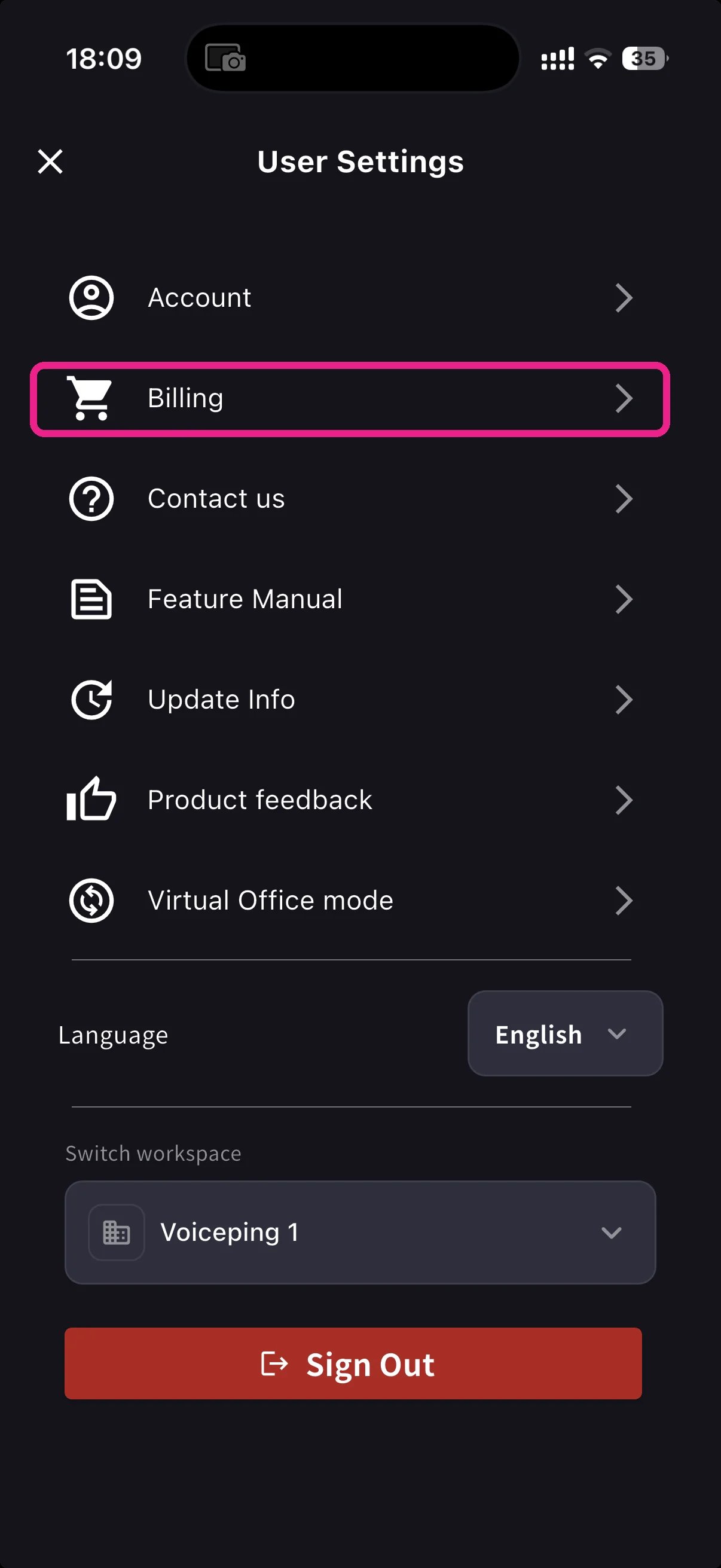
2
Pick a shortcut
Below the Current Plan card, three shortcuts cover invoicing: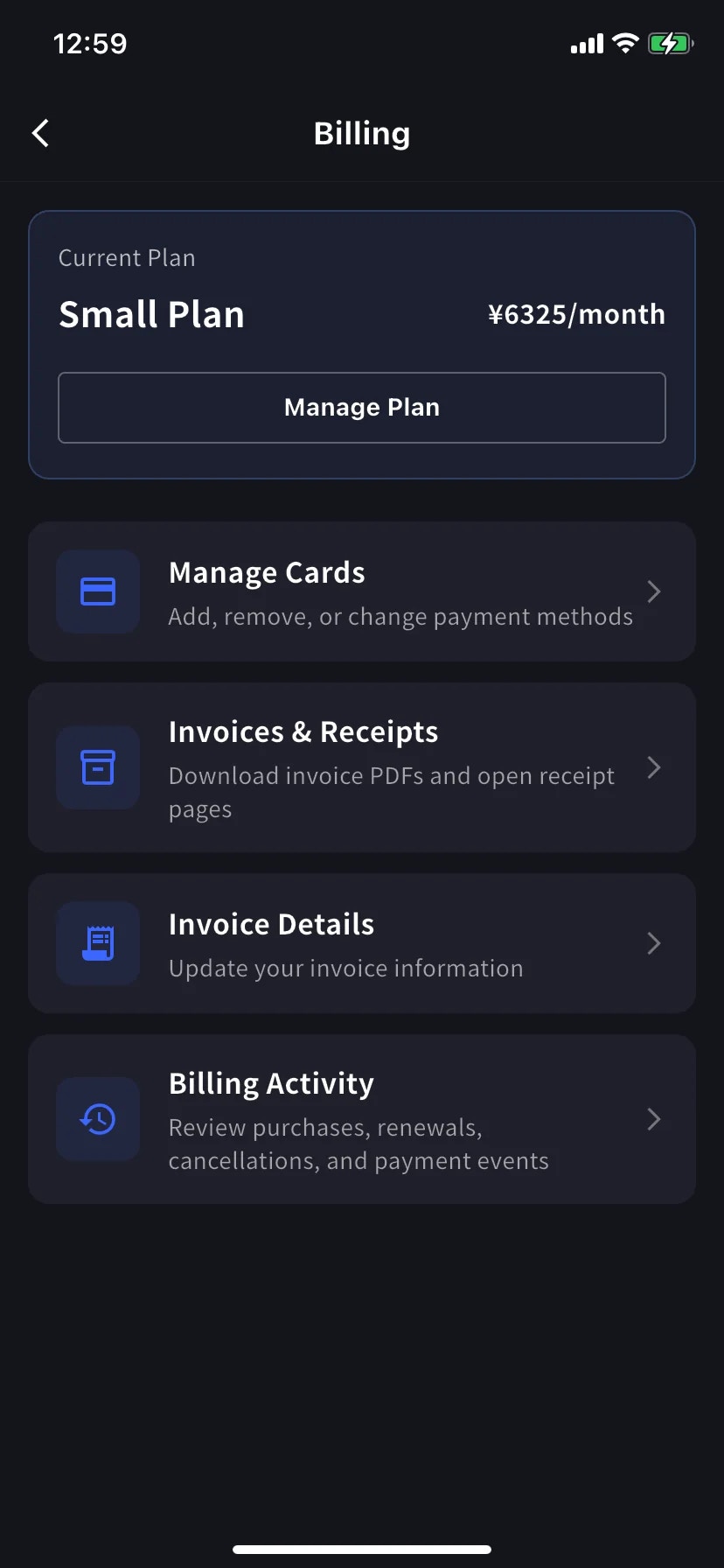
Invoice Details (mobile)
Same fields as the PC tab — name, email, phone for your invoice PDFs.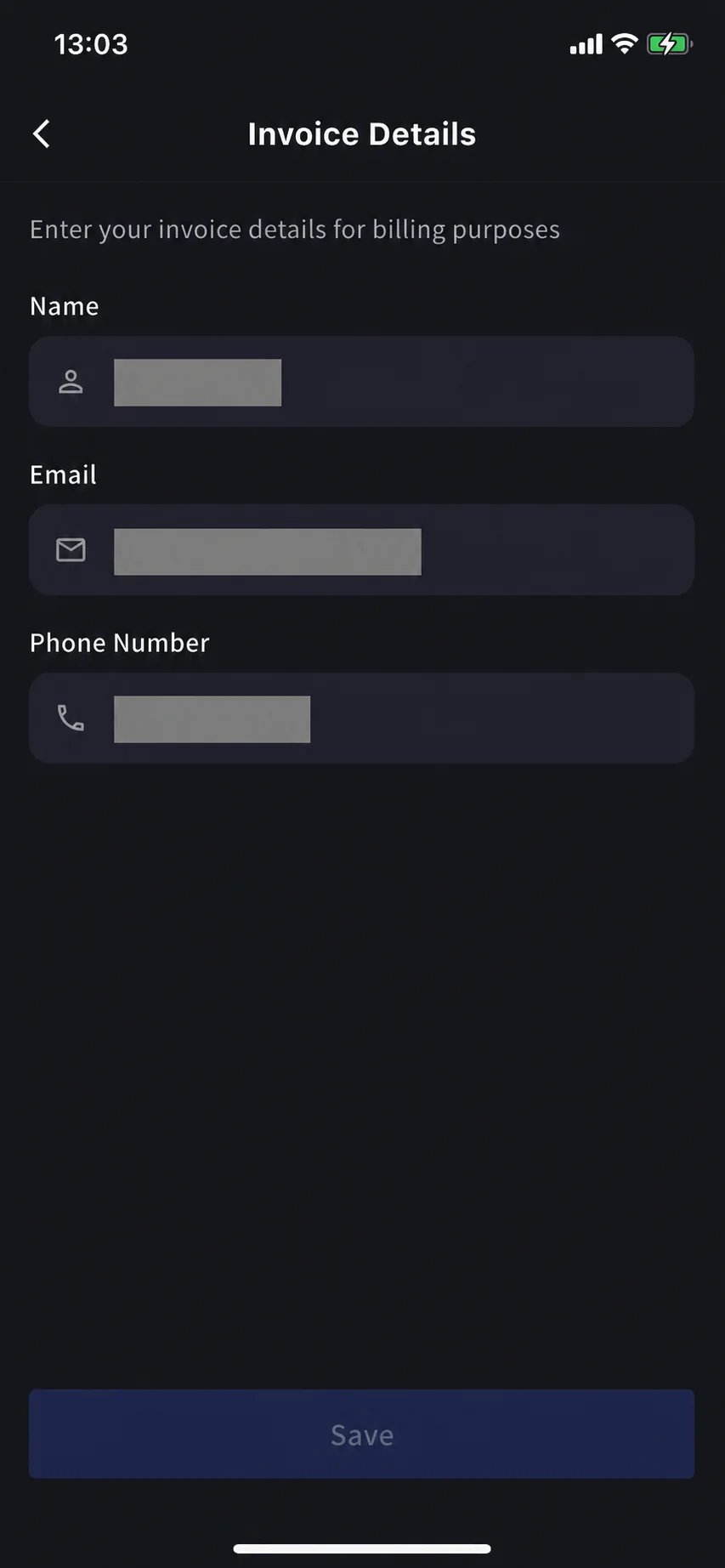
Invoices & Receipts (mobile)
Past charges appear as monthly cards. Each card has two actions.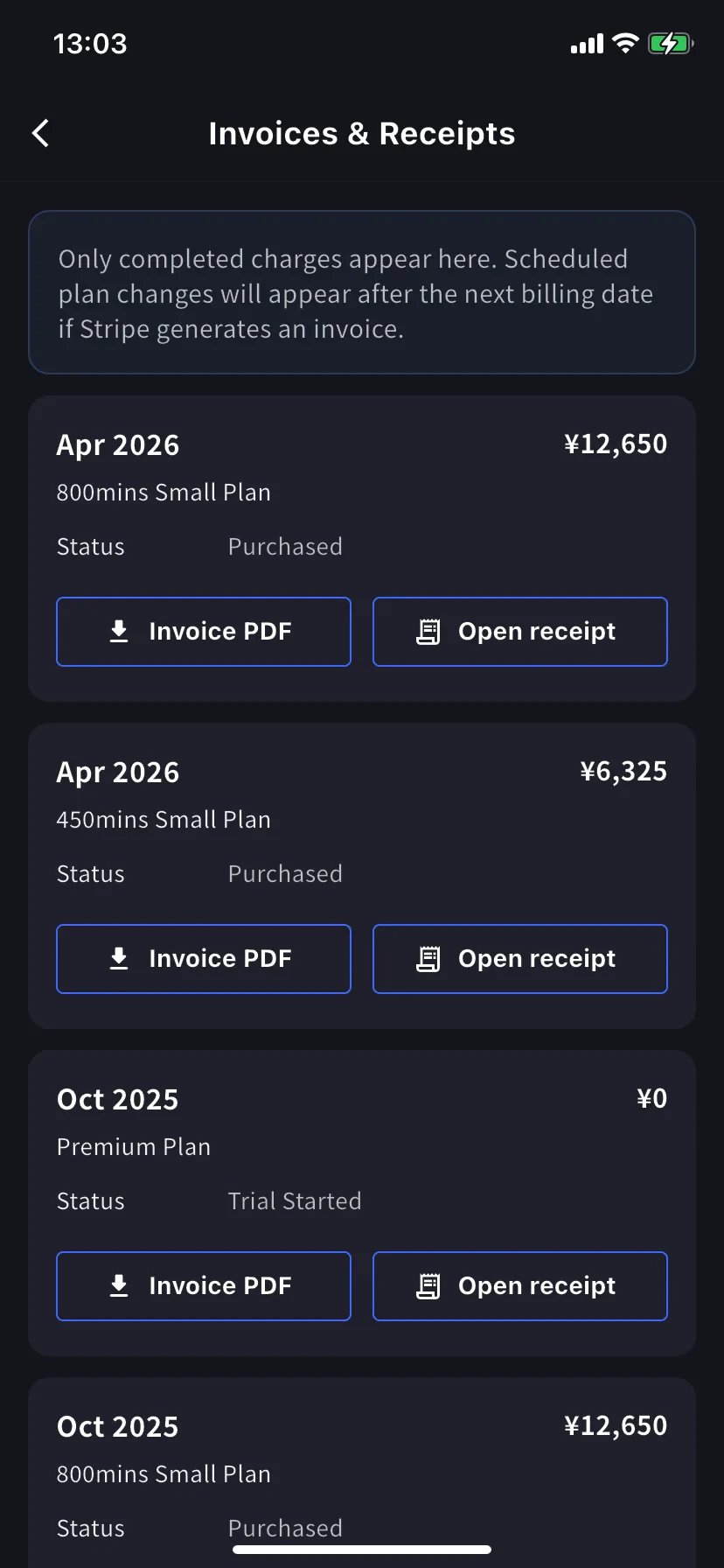
Billing Activity (mobile only)
Event log — everything your workspace did to its subscription, in one place.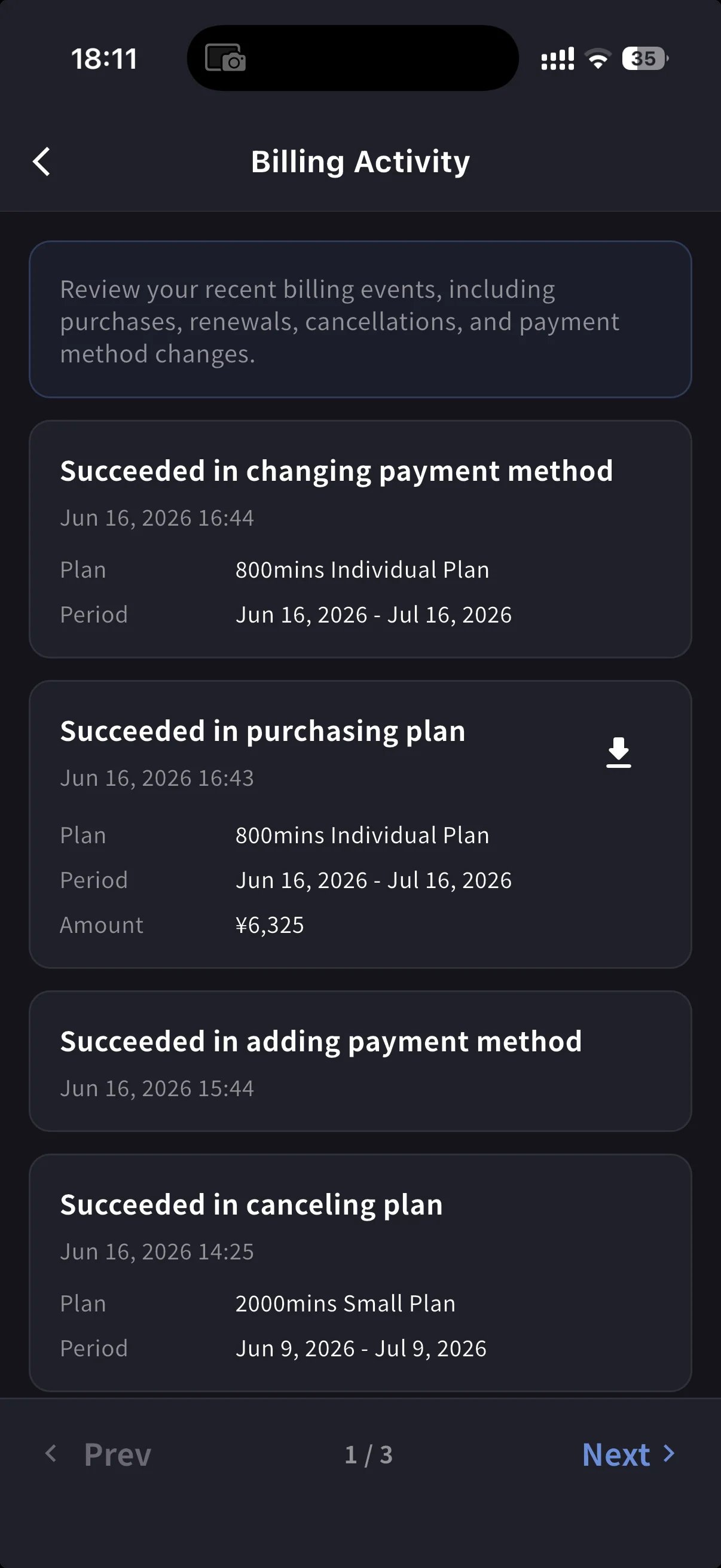
- Event name — e.g. Succeeded in upgrading plan, Subscription will be canceled on the next payment date, Succeeded in restoring subscription
- Timestamp (
YYYY/MM/DD HH:MM) - Plan, billing period, and amount (when applicable)
- IP Address — who acted from where, for audit / security review
- Download icon on completed charges — pulls the invoice PDF for that event
On PC, use Billing History for the full event log and Invoice and Receipt Download for finance documents. On mobile, Billing Activity gives a compact activity log with timestamps, IP address, and invoice download actions where available.
Tips
- Bill-to changes apply to future invoices only. Update Invoice Details before the next billing date to avoid having to reissue.
- Receipts vs invoices. The invoice is the charge document. The receipt action opens the stored receipt/download when available; otherwise it opens the hosted Stripe fallback.
- Mobile and PC stay in sync. Edits on one surface appear on the other immediately.
Related
- Plan Changes, Cancellation & Trial End — upgrade, downgrade, cancel (PC and mobile)
- Changing Your Payment Credit Card — card management (PC and mobile)
- Pricing — plan tiers and minute allowances