
Track KPIs Across Your Team

The situation. You’re a manager. You have four reports — Priya, Marcus, Hana, Daniel — all running customer meetings in the same VoicePing workspace. You want to know, without scheduling four 1:1s, where each person is spending their time, what deals they’re working, and where the gaps are. This workflow assumes you’ve already enabled MCP Access and connected your AI client.
1

Resolve team members against the workspace
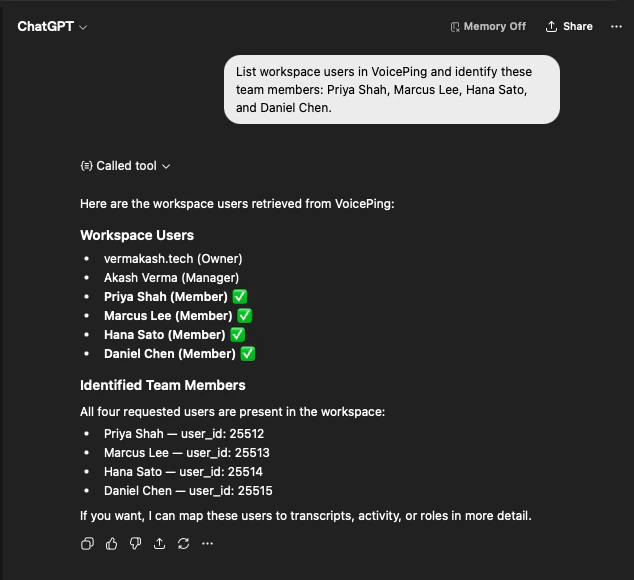
List workspace users in VoicePing and identify these team members:
Priya Shah, Marcus Lee, Hana Sato, and Daniel Chen.
The AI pulls the workspace user list and confirms all four are present — with their user IDs — so you know the analysis will cover the right people.
ChatGPT listing VoicePing workspace users and confirming Priya Shah, Marcus Lee, Hana Sato, and Daniel Chen as team members with their user IDs
2

Pull every meeting relevant to your KPIs
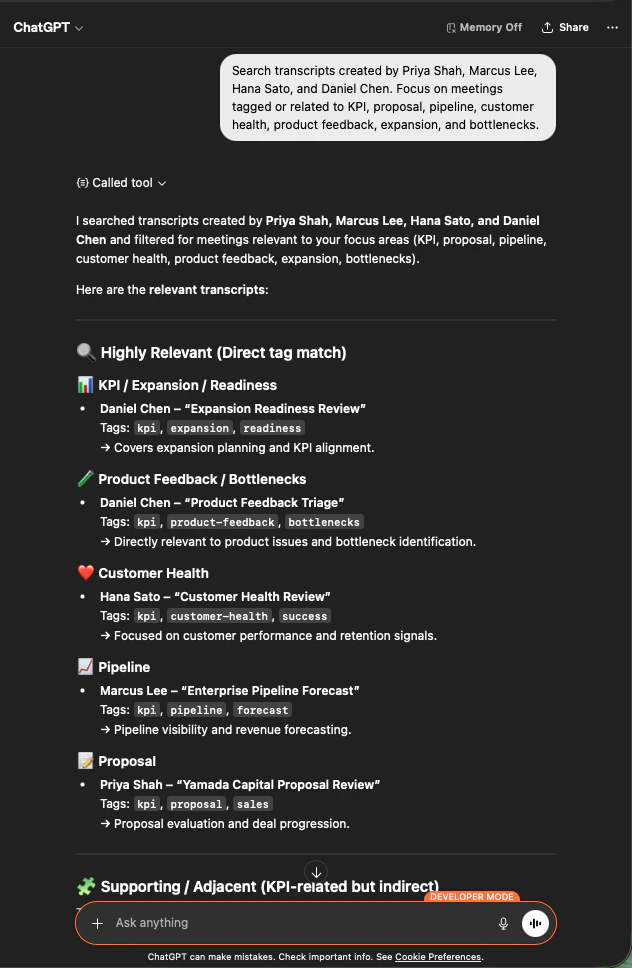
Search transcripts created by Priya Shah, Marcus Lee, Hana Sato,
and Daniel Chen. Focus on meetings tagged or related to KPI, proposal,
pipeline, customer health, product feedback, expansion, and bottlenecks.
You get a scoped list of the meetings that matter — grouped by focus area (KPI/Expansion, Product Feedback, Customer Health, Pipeline, Proposal) with the owning team member and the relevant tags.
ChatGPT listing team transcripts grouped by focus area — KPI, Product Feedback, Customer Health, Pipeline, Proposal — with team owner and tags
3

Produce a manager-ready KPI report
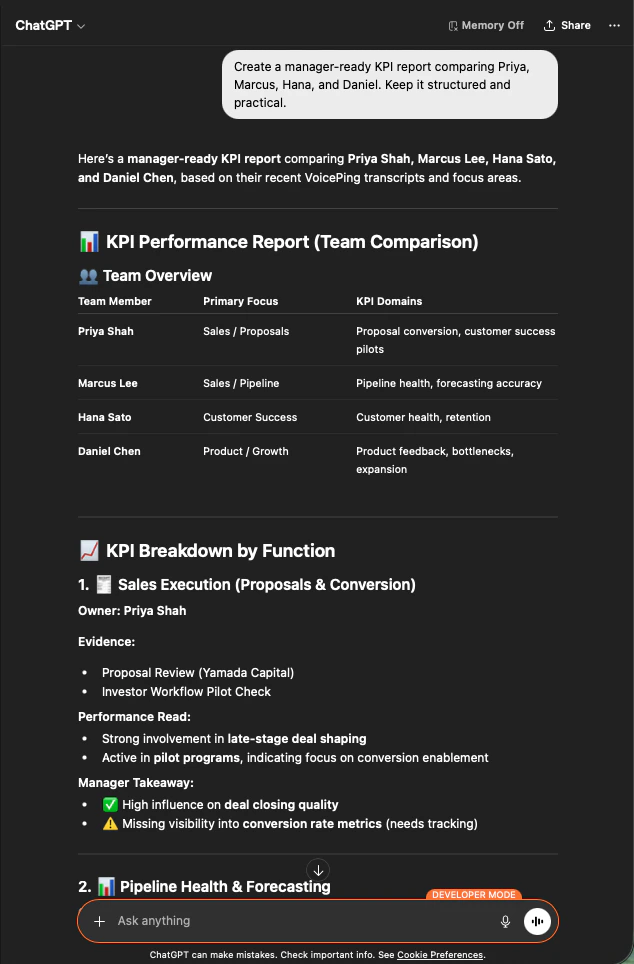
Create a manager-ready KPI report comparing Priya, Marcus, Hana, and Daniel.
Keep it structured and practical.
The AI builds a team overview table, a KPI breakdown by function (Sales Execution, Pipeline Health, Customer Success, Product/Growth) with evidence, performance read, and a manager takeaway for each person.
ChatGPT generating a manager-ready KPI report comparing four team members with primary focus, KPI domains, evidence, and takeaways
This works because MCP Access respects workspace scopes — the AI only sees transcripts the connection has permission to read, and only from users inside that workspace. Managers get visibility into their team, not into anyone else’s.

Next steps

External Access overview

Back to the hub for scopes, lifecycle controls, and event logs.

How to enable MCP Access

Setup guides for Claude, ChatGPT, Codex, Claude Code, and Gemini CLI.