
Submit a File
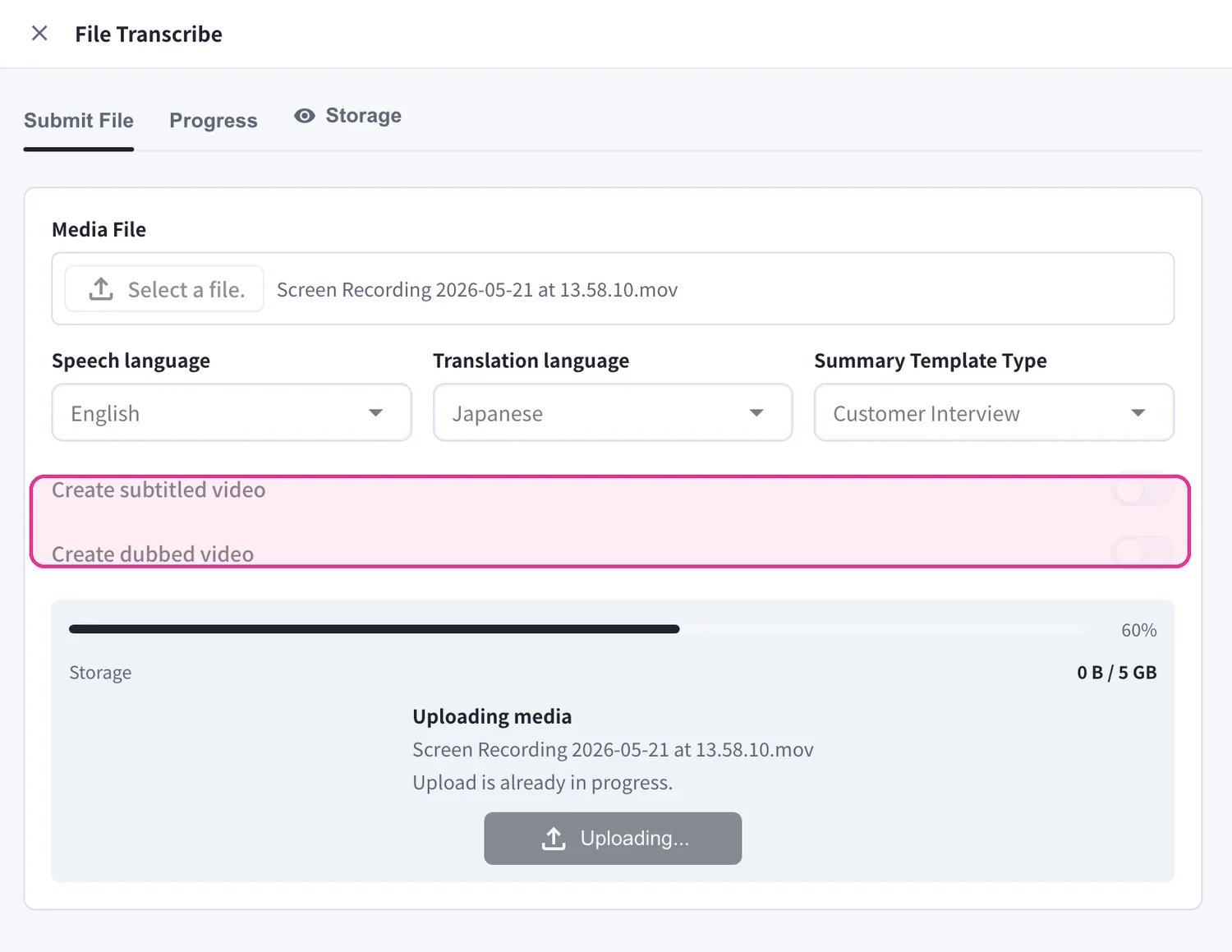
Open File Transcribe from the left sidebar and stay on the Submit File tab.- Under Media File, click Select a file. and choose the audio or video file you want to process.
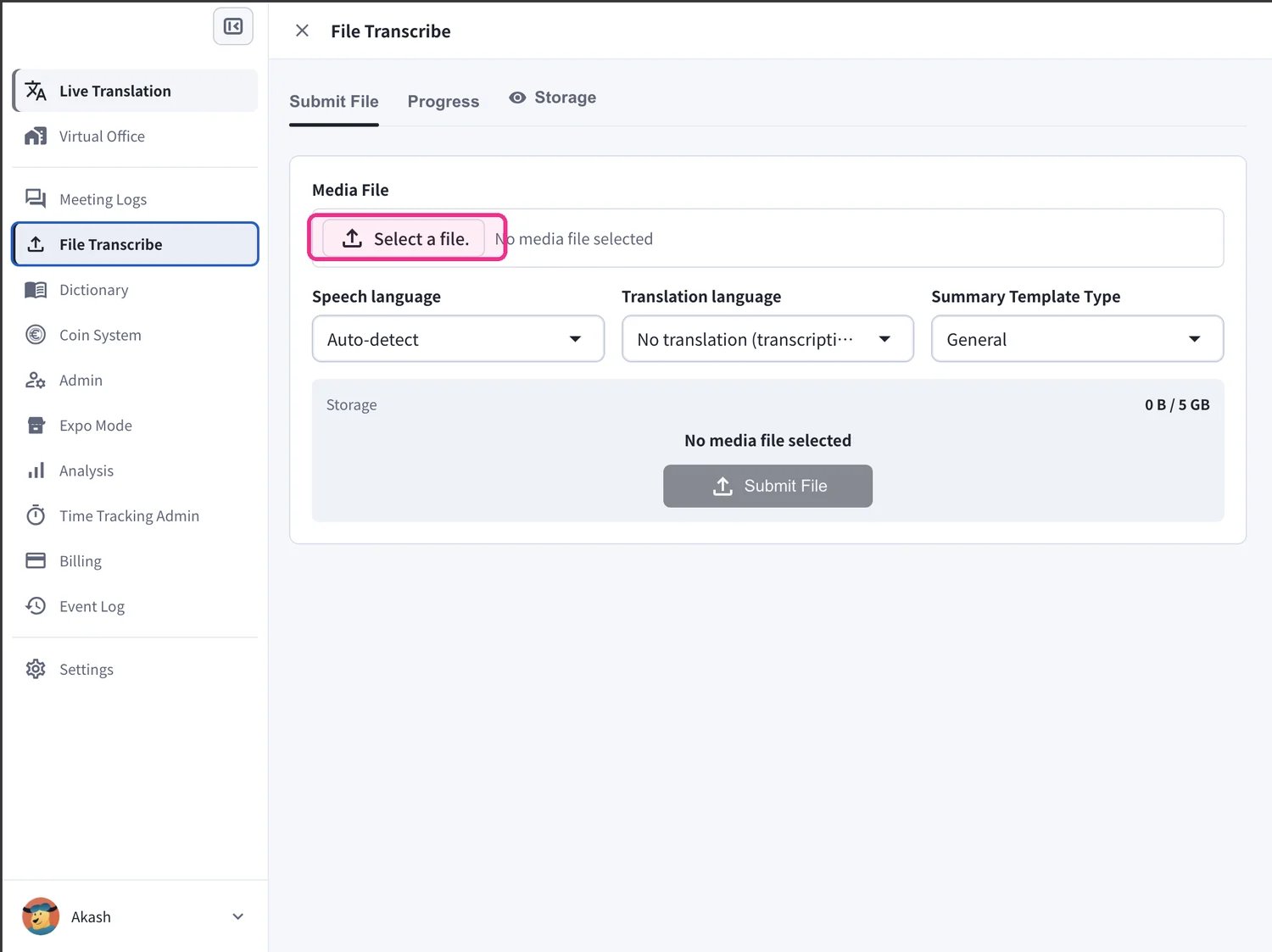
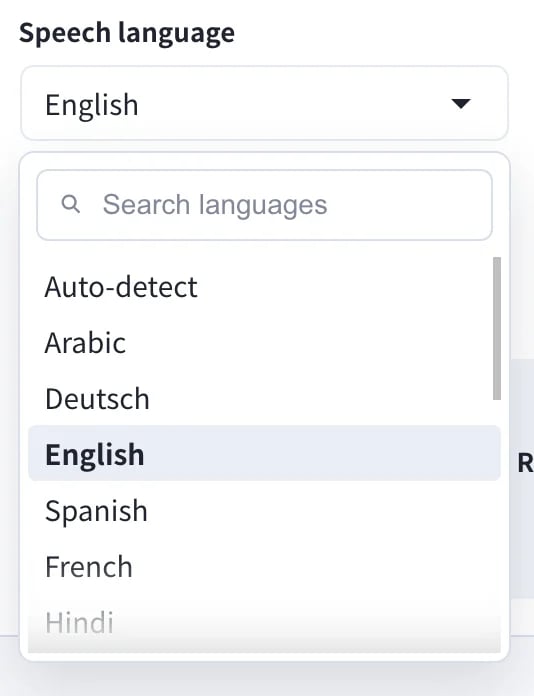
- Set the Speech language — the language spoken in your file. Leave it on Auto-detect to let VoicePing identify it for you.
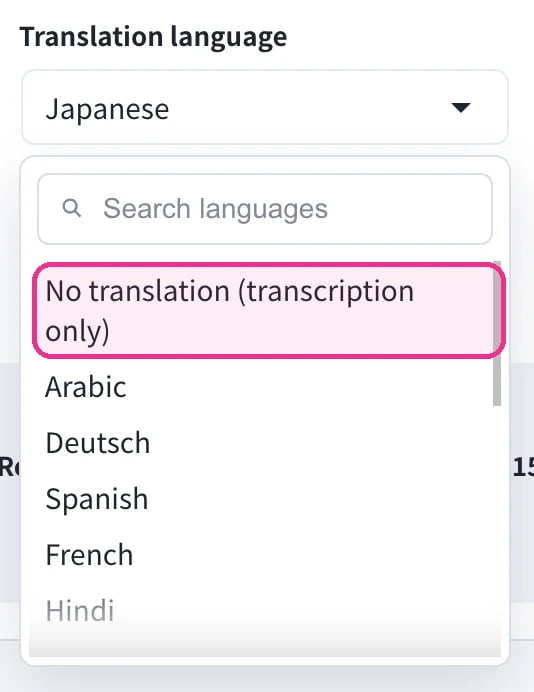
- Set the Translation language. Choose a target language to translate into, or pick No translation (transcription only) if you only need the transcript.
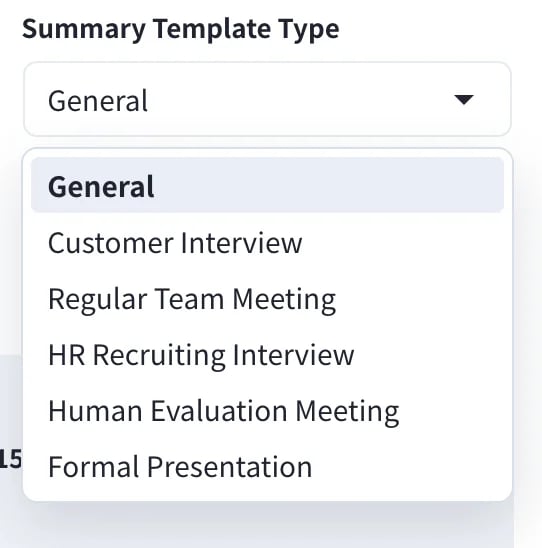
- Choose a Summary Template Type so the AI summary matches your content — for example General, Customer Interview, Regular Team Meeting, HR Recruiting Interview, Human Evaluation Meeting, or Formal Presentation.
- Optionally turn on Create subtitled video and/or Create dubbed video to also produce a video with burned-in subtitles or a translated voice-over. Then click Submit File to start processing.
- Leave Translation language on No translation (transcription only) to get just the transcript and summary.
- Create subtitled video and Create dubbed video require a Translation language and take extra processing time.
- You can submit several files, one after another — each becomes its own job.
Track Progress
Open the Progress tab to watch your files being processed. Each job in Processing history shows a progress bar and status (for example Processing… 5%). Use Stop processing to cancel a running job, or Update history to refresh the list.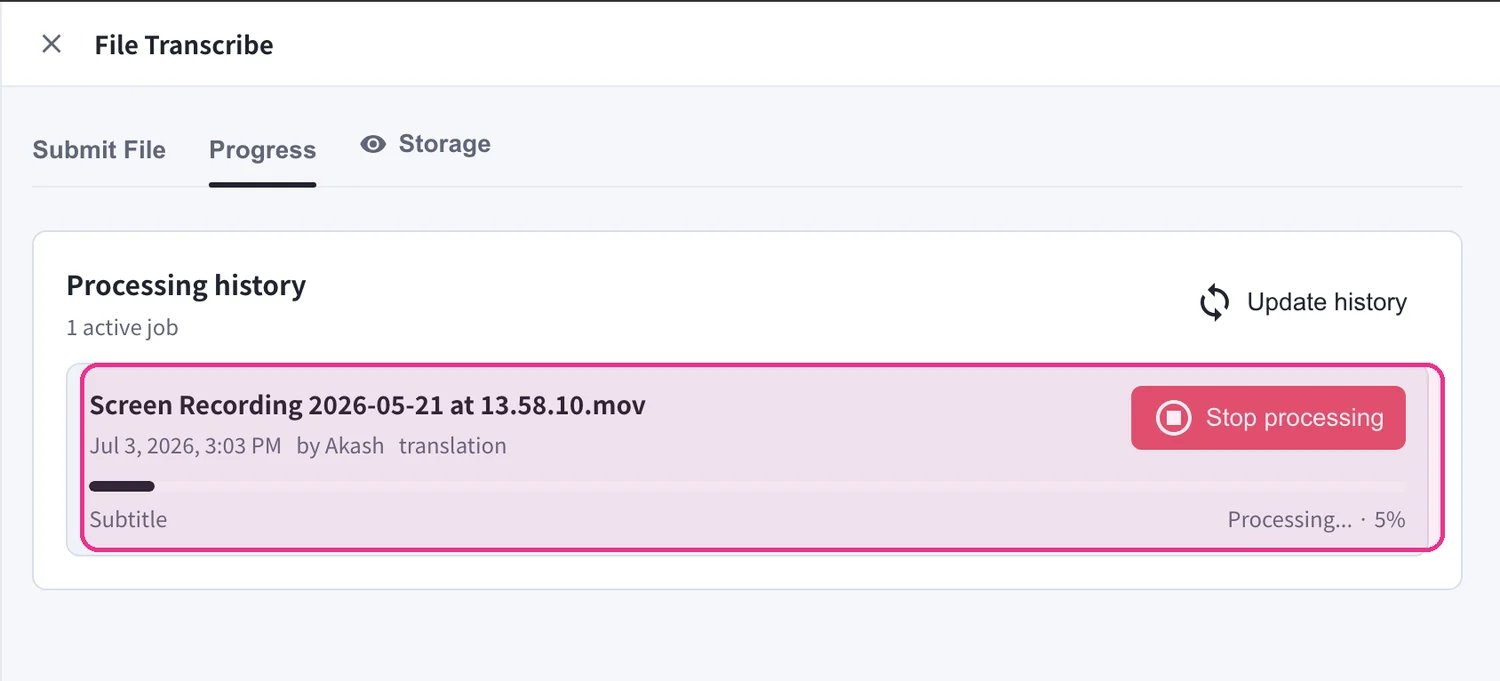
Get Your Results
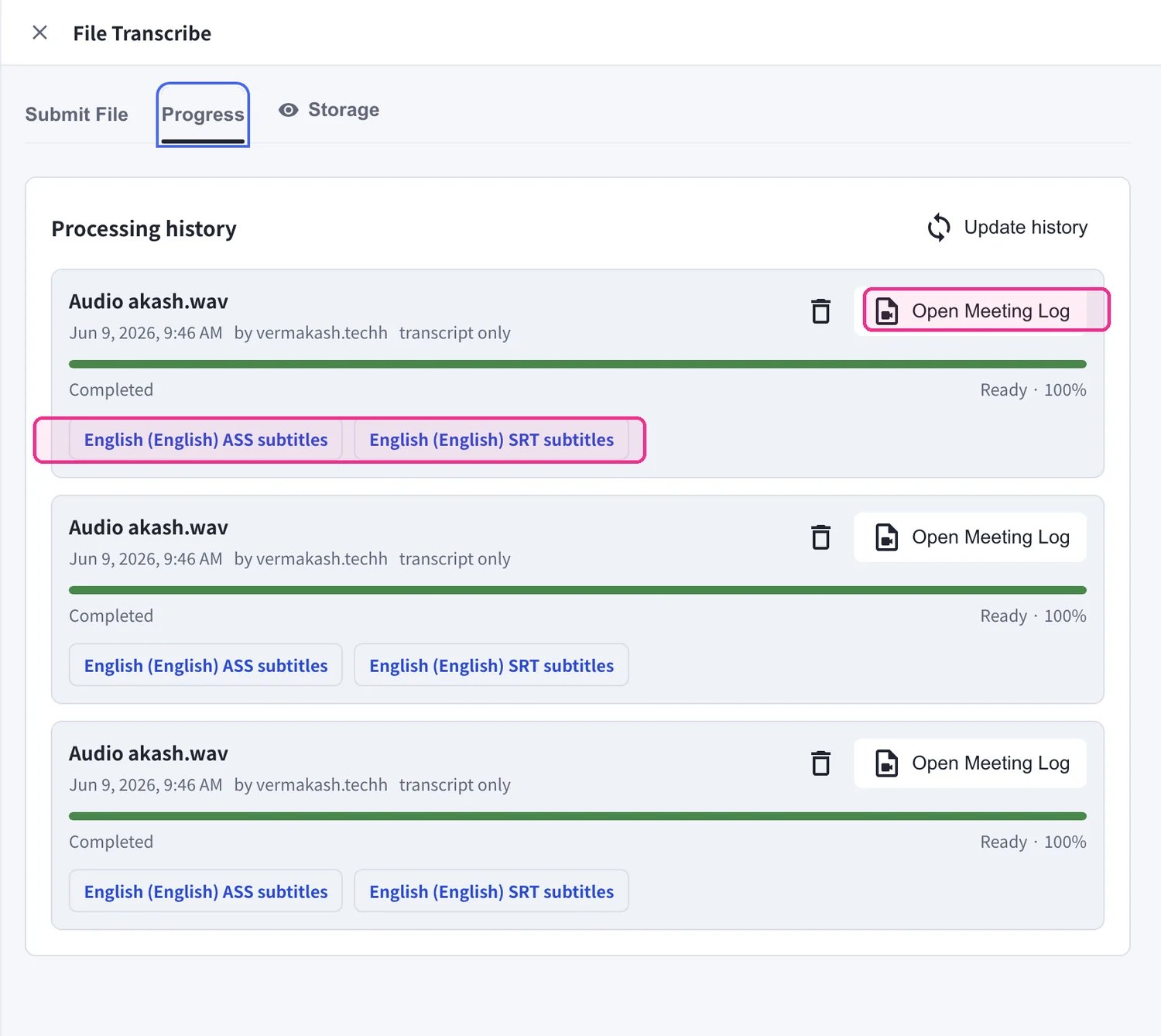
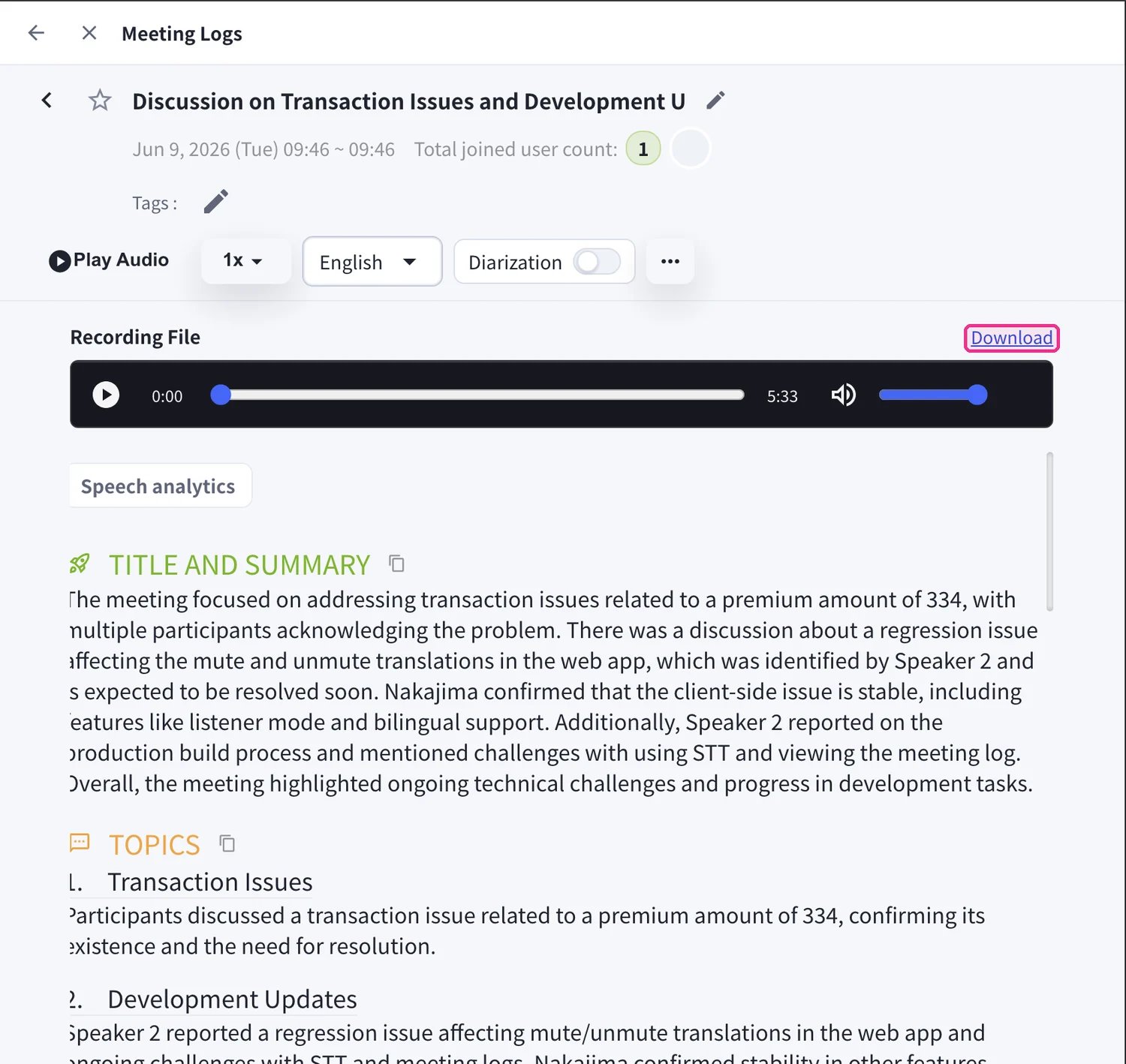
When a job is Completed, it stays in Processing history with everything it produced:- Click Open Meeting Log to read the full transcript, translation, and AI summary.
- If you generated subtitles, download them directly — the ASS subtitles and SRT subtitles buttons appear on the completed job.
Manage Storage
Uploaded media counts against your workspace’s File Transcribe storage. Open the Storage tab to see every stored file with its Type, Size, and Created at date. Each workspace includes 5 GB. Select files and click Delete selected to free space, or Update storage to refresh the totals.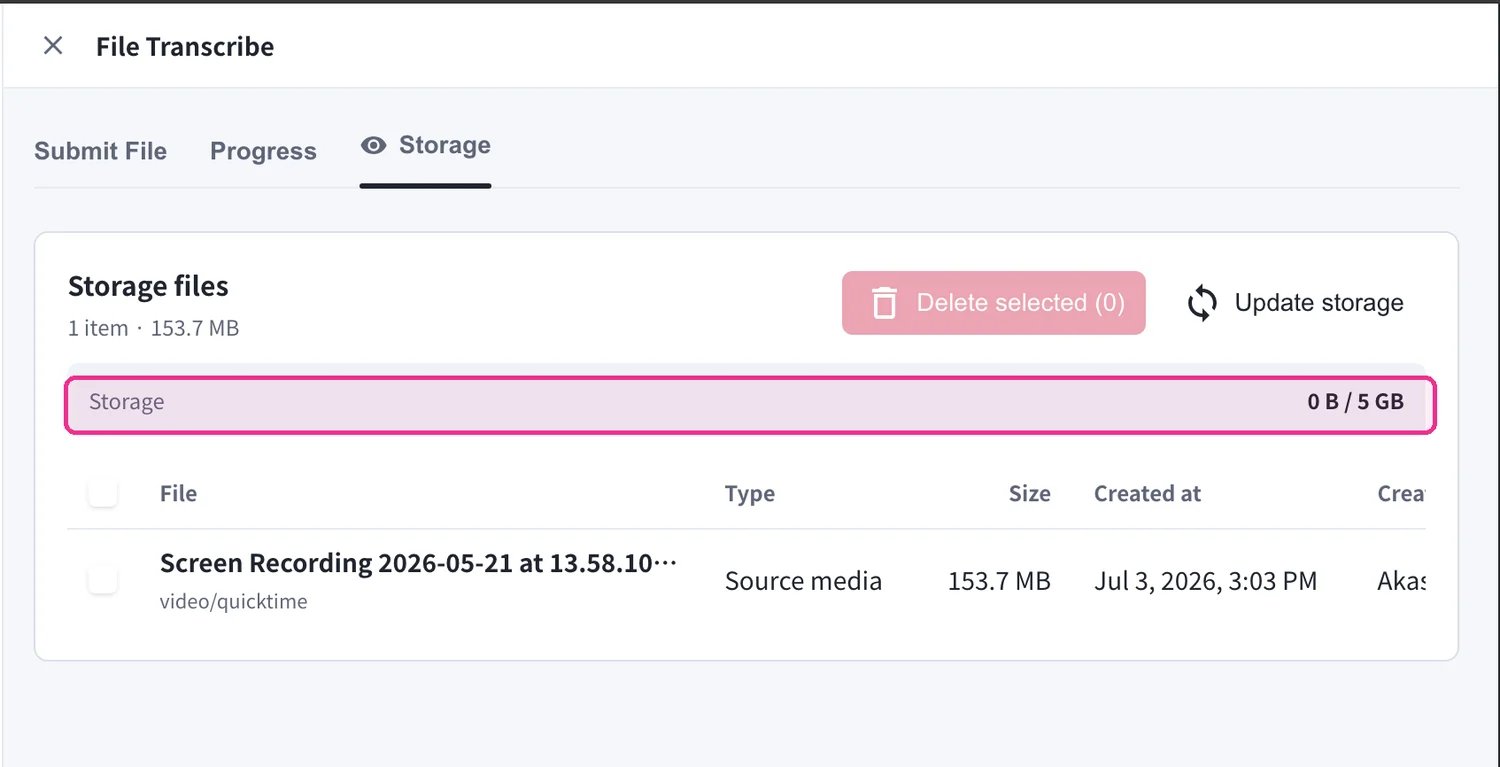
Supported File Formats
Audio Files
- MP3
- WAV
- M4A
- Other common audio formats
- MP4
- MOV
- AVI
- Other common video formats
Use Cases
Official Links
Official Website
Visit our official website
X (Twitter)
Follow us on X
Like us on Facebook
Connect on LinkedIn