
Build a Client-Ready Agenda From Past Meetings
The situation. You have a follow-up meeting with a customer — say Northstar Capital — on Monday. You’ve had three prior calls with them over the last two weeks: discovery, security review, and an ROI conversation. You could re-read every transcript and piece together an agenda manually. Or you could ask. This workflow assumes you’ve already enabled MCP Access and connected your AI client.1
Ask the AI to find the relevant past meetings
Point it at the customer name and let it surface the conversations that matter.The AI returns the three prior calls with dates and a one-line “why this matters” for each — you immediately see the thread of the relationship.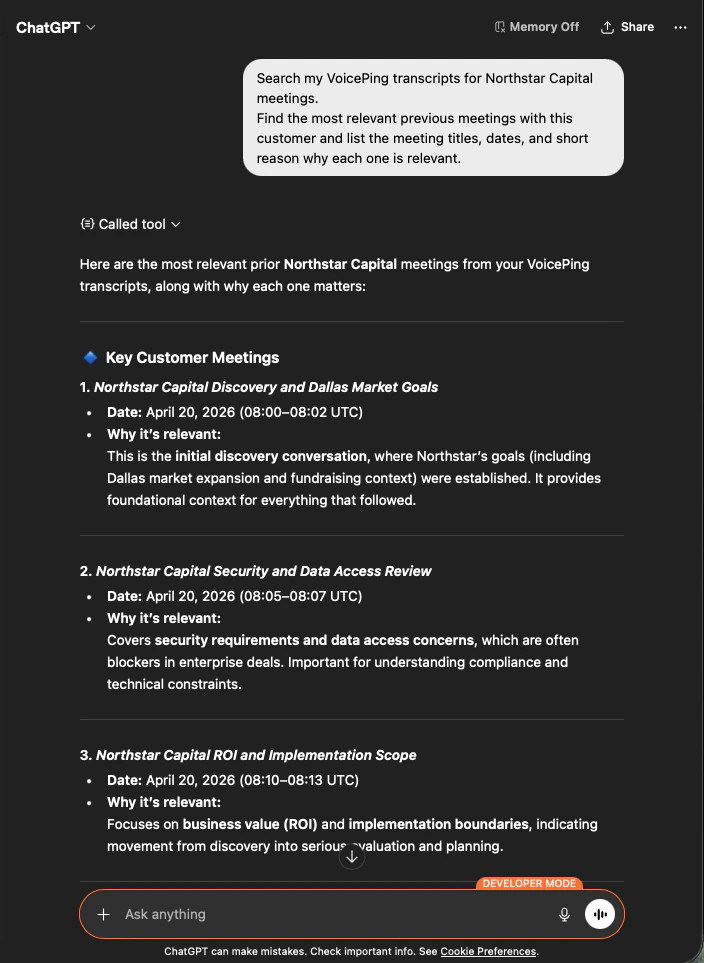
2
Ask for a client-ready agenda
Now you ask it to turn those meetings into something you can actually send.You get a six-section agenda with time boxes — Success Criteria, Pilot Scope, Security & Data Policy, Proposal Plan, Open Risks, and Final Decisions — built from what was actually discussed.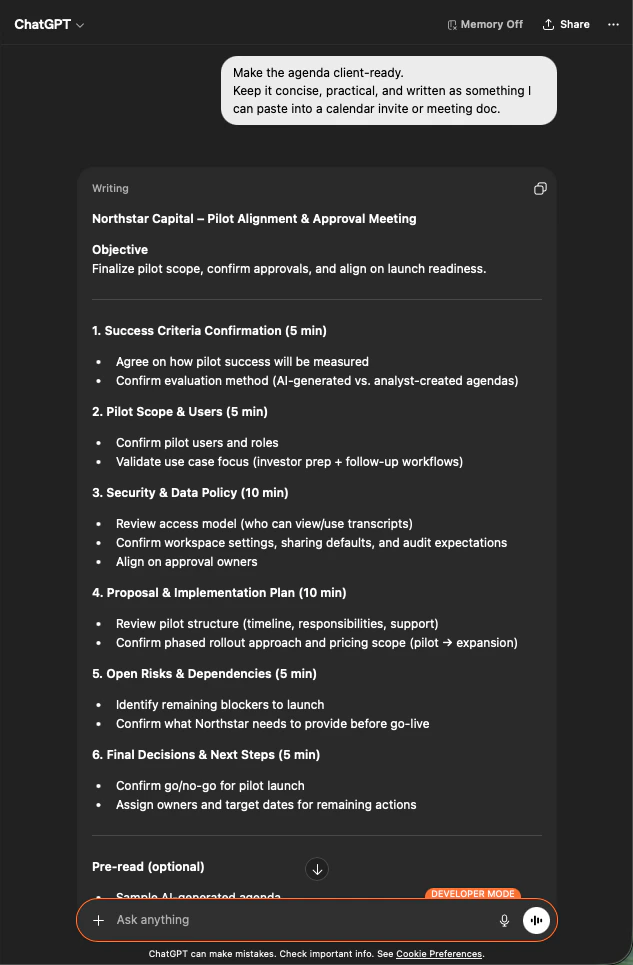
Next steps
External Access overview
Back to the hub for scopes, lifecycle controls, and event logs.
How to enable MCP Access
Setup guides for Claude, ChatGPT, Codex, Claude Code, and Gemini CLI.