Send a Follow-Up Email in 30 Seconds

The situation. Meeting just ended. Everyone remembers about 40% of what was decided. Whoever sends the first recap sets the record — and locks in the action items. This is the single highest-leverage habit in any sales or project team. This workflow assumes you’ve already enabled MCP Access and connected your AI client.
1

Pull the meeting context

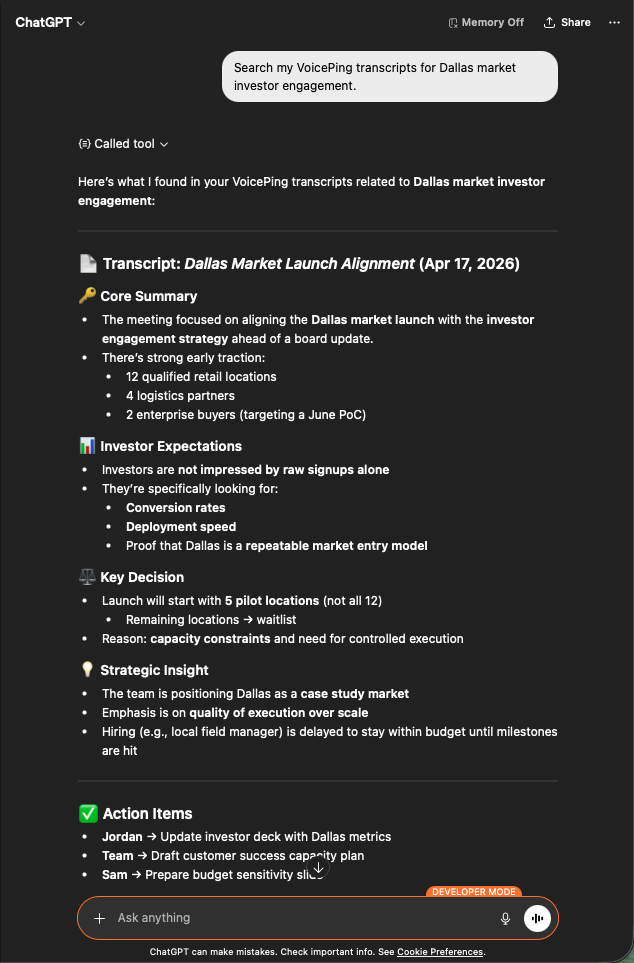
Search my VoicePing transcripts for Dallas market investor engagement.
You get a structured recap: the core summary, investor expectations, key decisions, strategic insights, and action items with owners. Exactly the material a follow-up email needs.
ChatGPT surfacing a Dallas Market Launch transcript with core summary, investor expectations, key decisions, and action items
2

Ask for the email draft

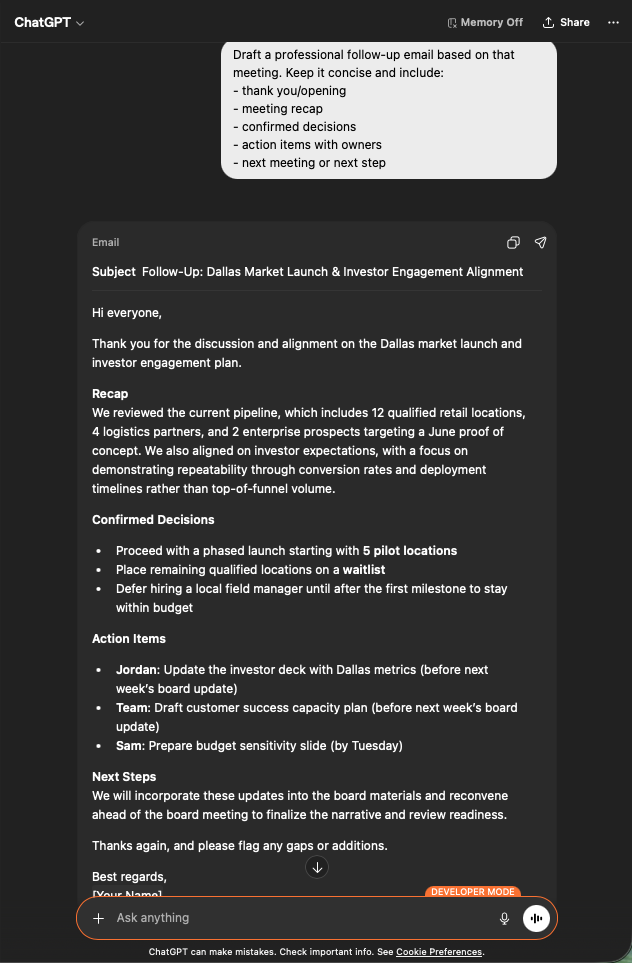
Draft a professional follow-up email based on that meeting.
Keep it concise and include:
- thank you / opening
- meeting recap
- confirmed decisions
- action items with owners
- next meeting or next step
You get a ready-to-send email: subject line, tight recap, bulleted decisions, action items tagged with the right owner and a deadline. Paste into Gmail, review, send.
ChatGPT generating a professional follow-up email draft with subject, recap, decisions, and assigned action items
Why this matters. Follow-up quality is a leading indicator of deal velocity. Making it a 30-second task removes the reason people skip it.

Next steps

External Access overview

Back to the hub for scopes, lifecycle controls, and event logs.

How to enable MCP Access

Setup guides for Claude, ChatGPT, Codex, Claude Code, and Gemini CLI.