Where To Find It
Open Coin System from the left workspace navigation. It has three tabs:
You can also send a coin directly from the Virtual Office.
Send A Coin
From the Virtual Office, hover over a member and click the Send coin icon in their action toolbar.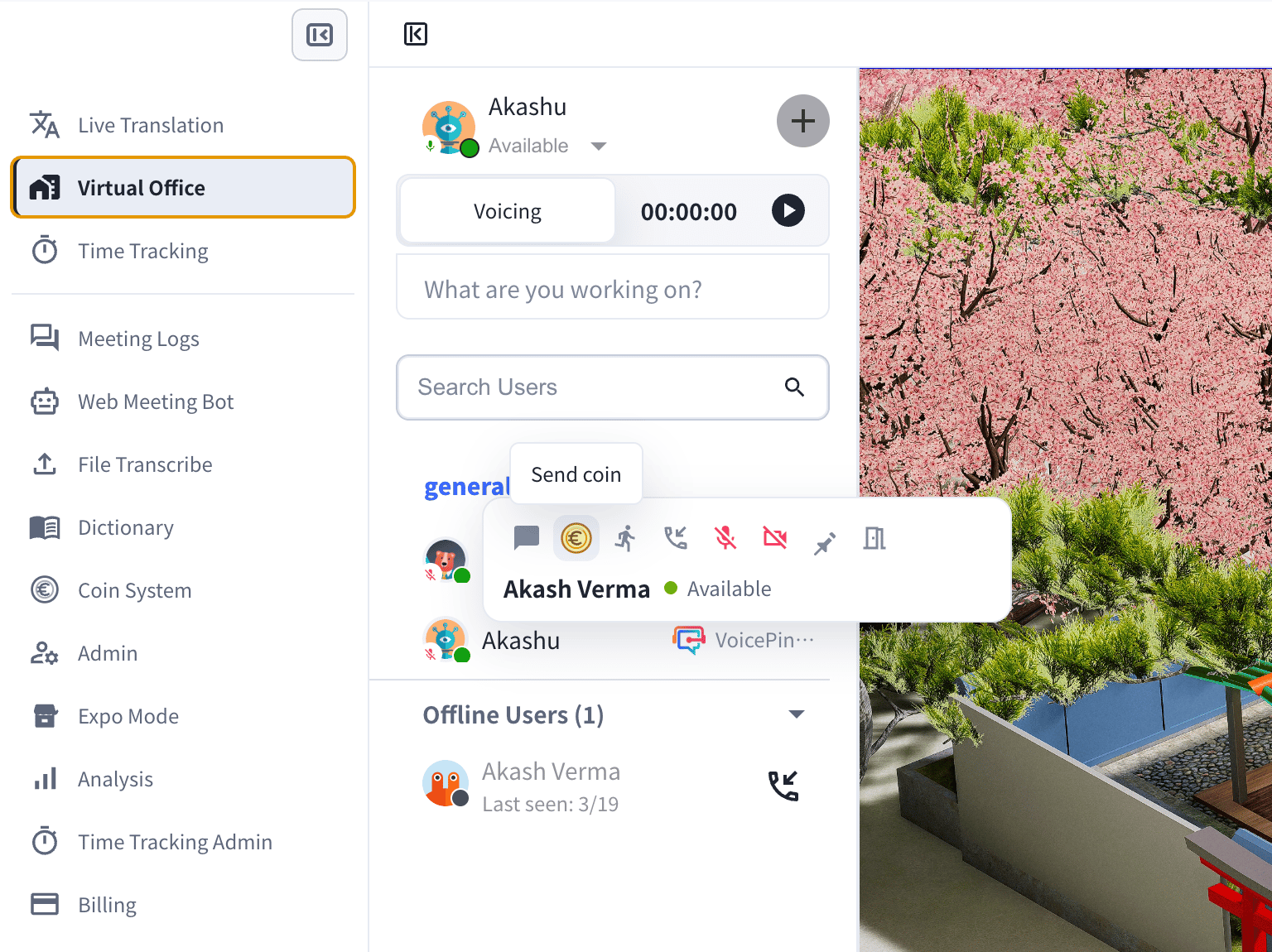
- Confirm the receiver.
- Choose a coin type — for example Great Work, Helpful, Fast Response, Kindness, Productive, Team Player, or Clear Communication. Each type has a coin cost.
- Add a comment describing what you are recognizing. A comment is required when the workspace turns on that setting.
- Click Send coin. Your remaining daily coins update automatically.
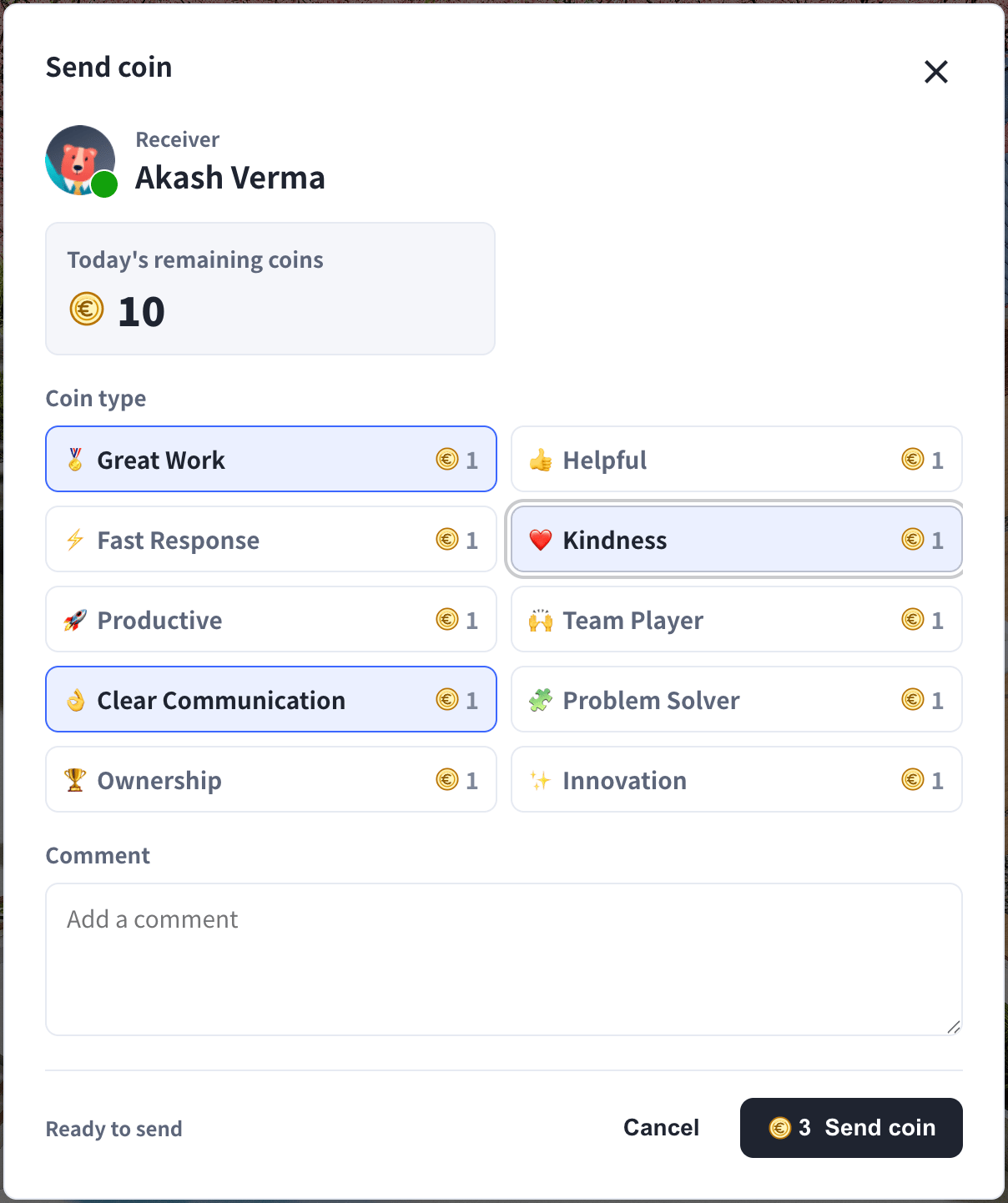
You can send up to your daily allowance, which resets each day.
Coin Types
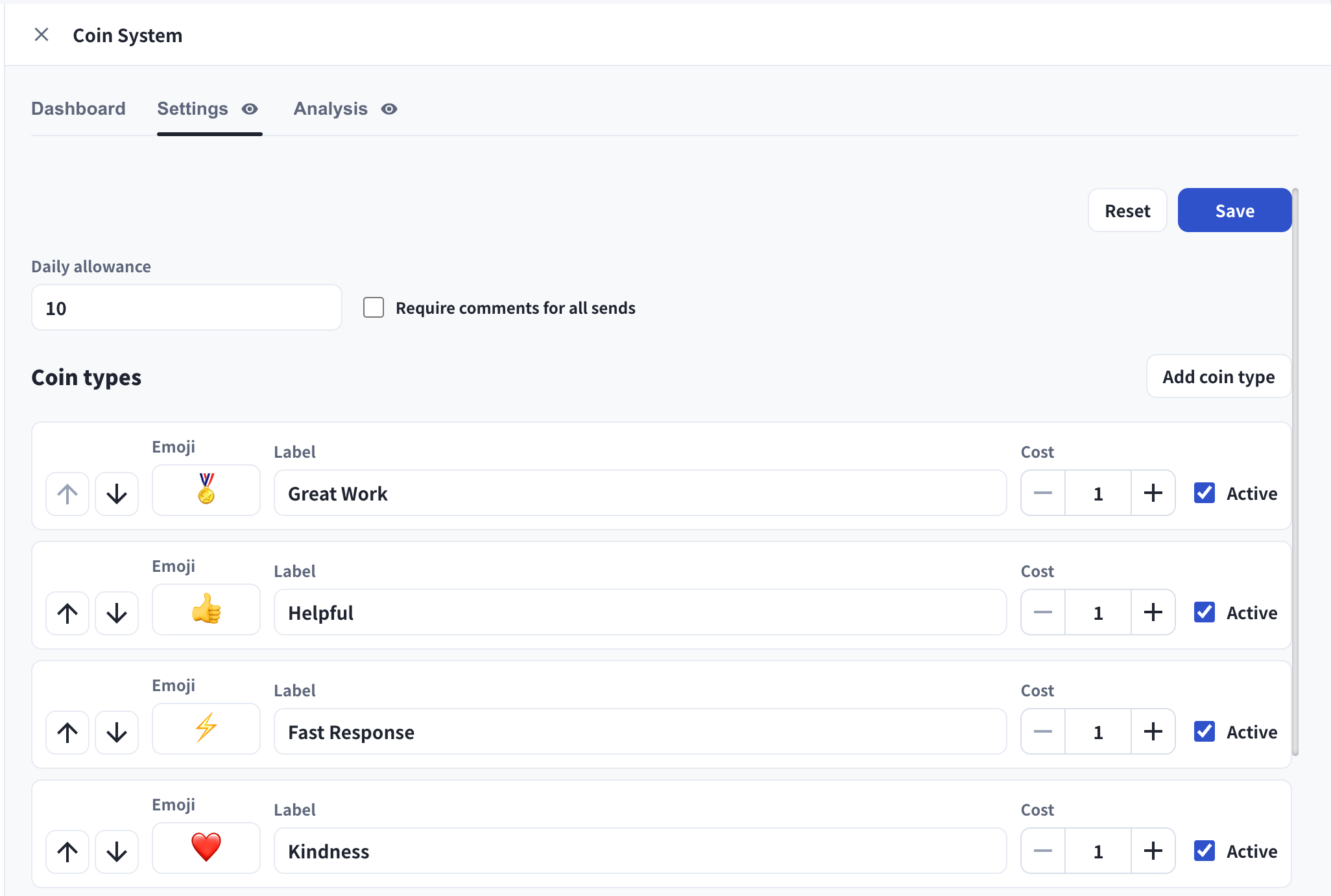
Managers can rename, reorder, add, deactivate, or change the cost of any coin type in Settings.
Recognition Dashboard
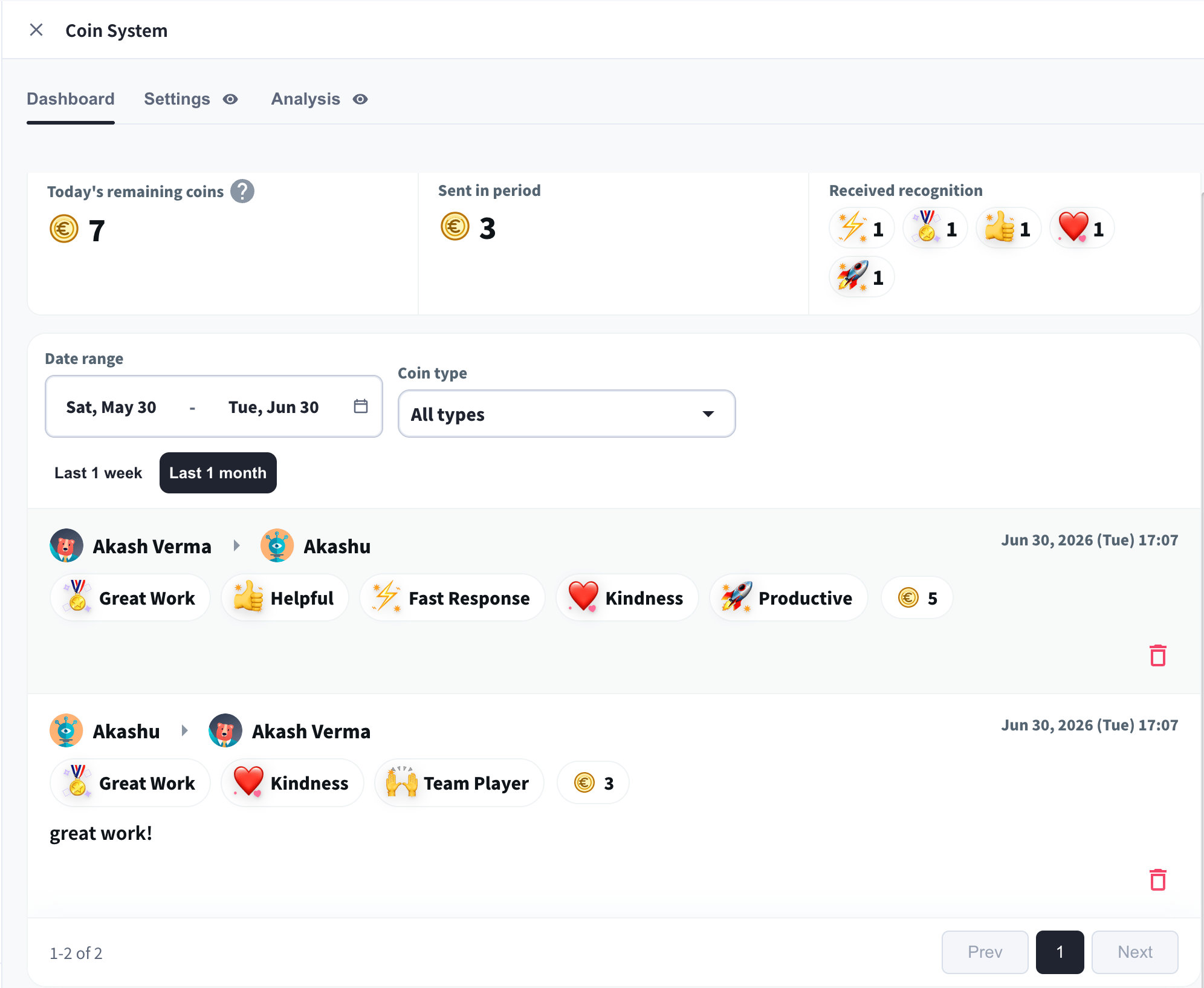
The Dashboard is each member’s recognition home. It shows:- Today’s remaining coins — how many coins you can still send today.
- Sent in period — coins you sent in the selected date range.
- Received recognition — a breakdown of the coins you received, by type.
- Recognition feed — every recognition in the workspace (sender → receiver, coin types, total coins, and comment), filterable by date range and coin type.
Settings (Managers)
In Settings, managers control how the Coin System works:- Daily allowance — how many coins each member can send per day.
- Require comments for all sends — force a comment on every coin.
- Coin types — add, rename, reorder, set the cost, and activate or deactivate each type. Use Add coin type to create a custom recognition with its own emoji and label.
Analysis And Reporting (Managers)
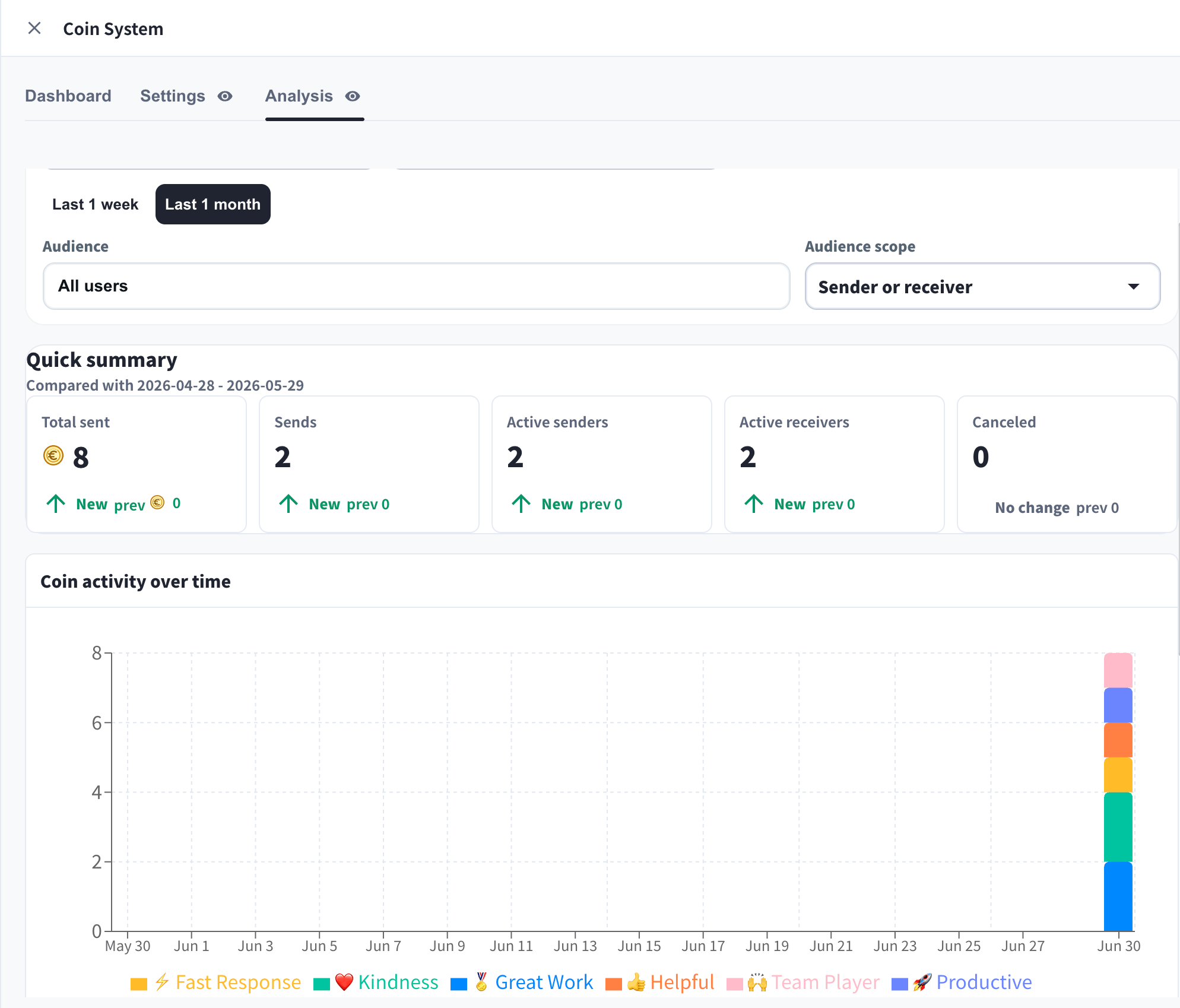
The Analysis tab turns recognition into engagement insight:- Quick summary — Total sent, Sends, Active senders, Active receivers, and Canceled, compared with the previous period.
- Coin activity over time — recognition volume by coin type across the date range.
- Top senders / Top receivers — leaderboards of recognition activity.
- Filter by date range, coin type, and audience (sender or receiver), then Export to CSV or Export PDF.