
1. PC
- 上部ナビゲーション → Billing → Payment methodsを開き、新しいクレジットカードを登録します。
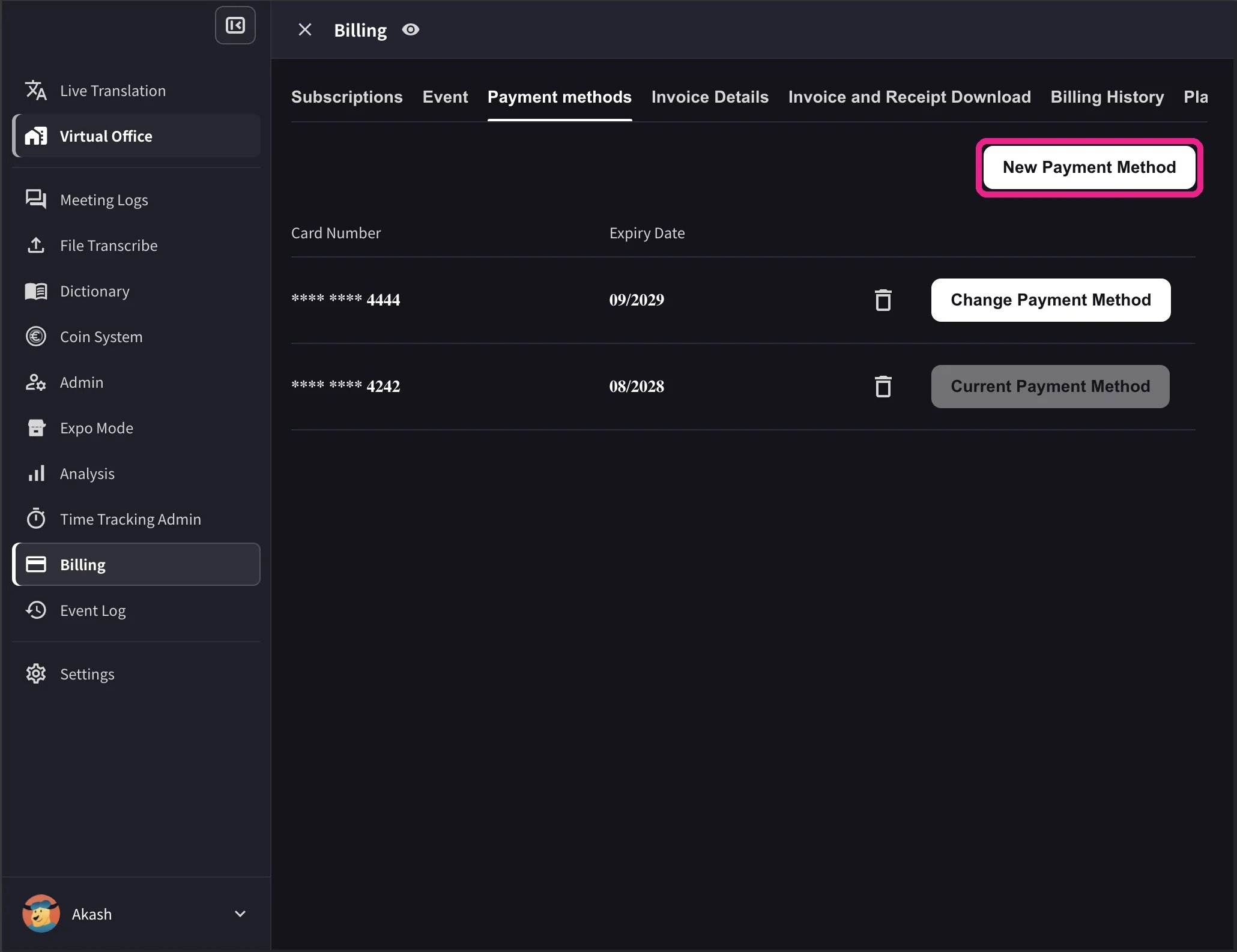
- カード一覧で、今後の支払いに使うカードのChange Payment Methodをクリックします。変更後は、そのカードにCurrent Payment Methodと表示されます。
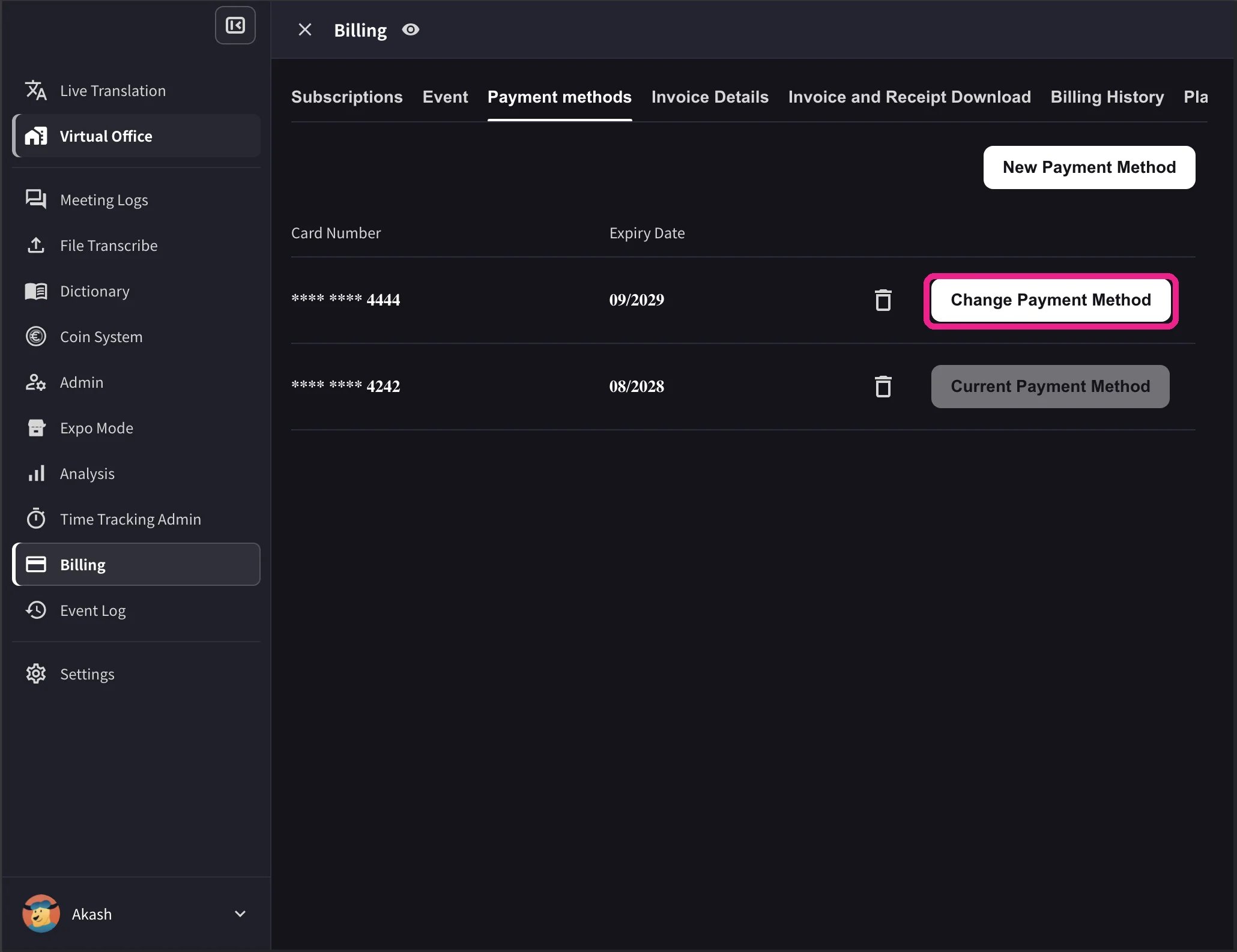
カード一覧には、有効期限と削除アイコンも表示されます。Change Payment Methodは、Stripeのサブスクリプションが有効で、解約予約がないワークスペースにのみ表示されます。ワークスペースの決済通貨に対応していないカードには、変更操作の代わりにNot Supportedと表示されます。
2. モバイルアプリ
モバイルアプリでは、カード管理はBilling → Manage Cardsにあります。1
Manage Cardsを開く
サイドメニュー → User Settings → Billing → Manage Cardsを開きます。登録済みカードが一覧表示され、利用中のカードにはUsing Nowが付きます。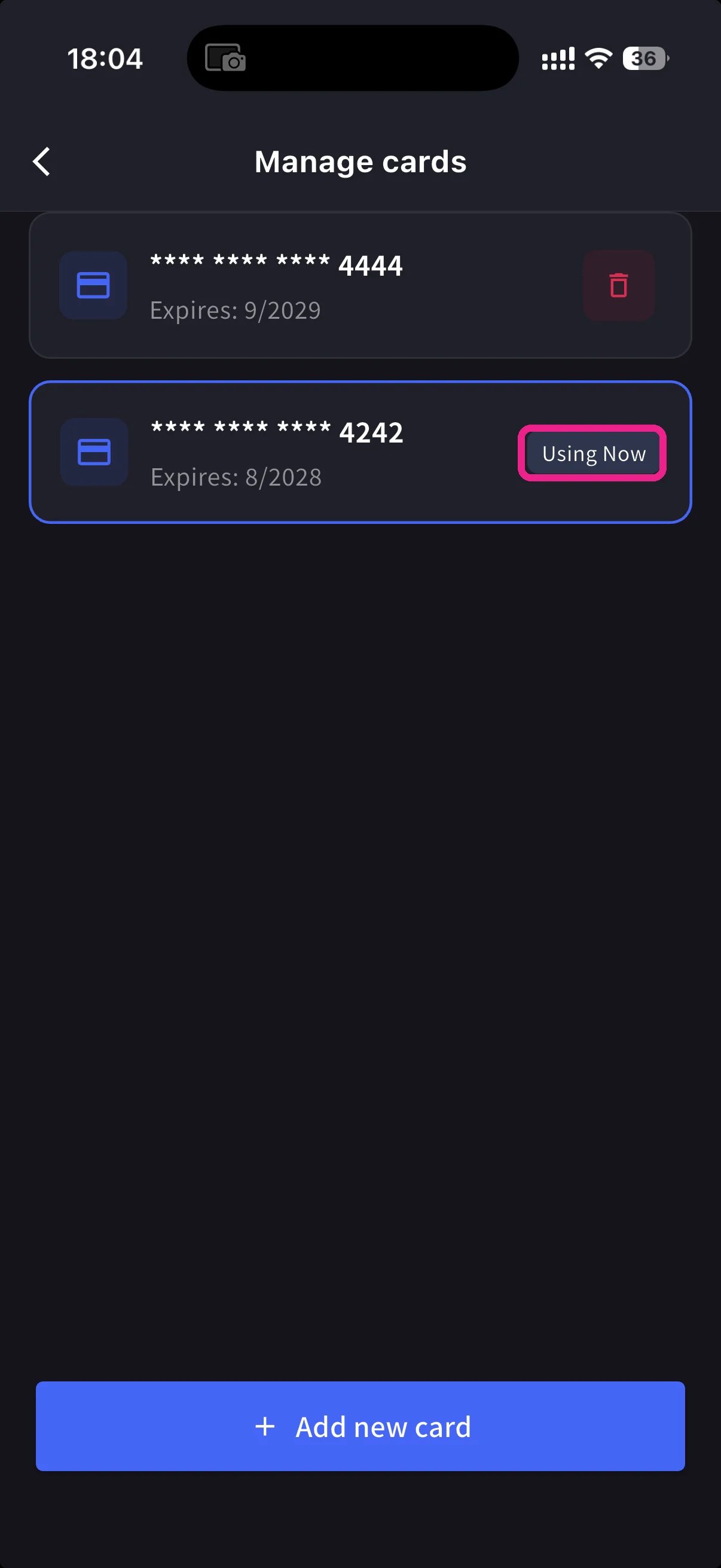
2
新しいカードを追加
下部の青い**+ Add new card**ボタンをタップします。カード追加シートには2つの方法があります。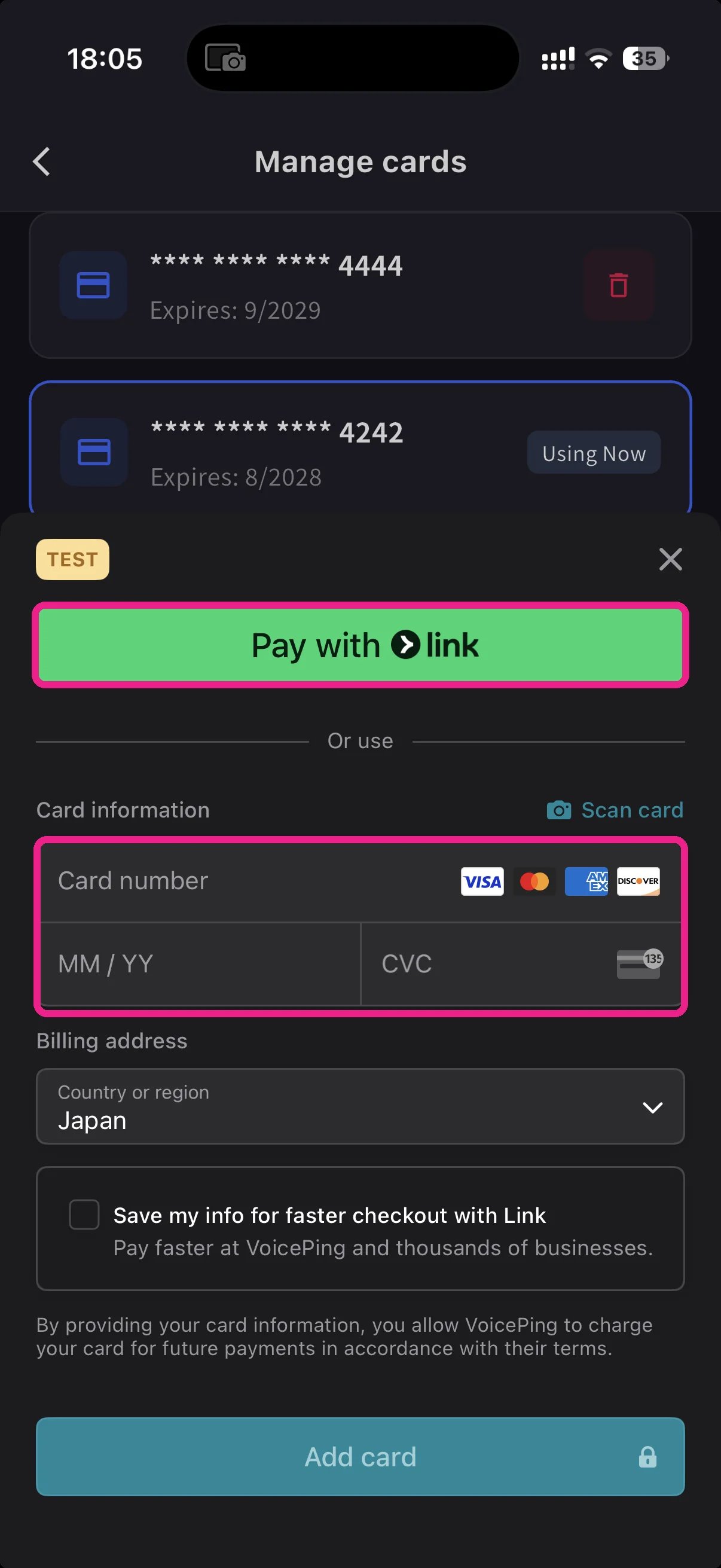
- Pay with Link:電話番号をStripe Linkに登録済みの場合、保存されたカード情報を利用できます。
- Manual card:カード番号、MM/YY、CVCを入力するか、📷 Scan cardでカードを読み取ります。請求先の国を選び、Add cardをタップします。
3
利用カードを切り替える
Manage Cardsに戻り、使いたいカードをタップします。Using Nowがそのカードに移動し、今後の請求は選択したカードで行われます。
カード情報はStripeでトークン化されます。VoicePingがカード番号そのものを保存することはありません。
関連ページ
- プランの変更・解約・トライアル終了 — プラン変更、ダウングレード、解約
- 請求書・領収書・請求履歴 — 請求書PDF、領収書、イベントログ
公式リンク
公式サイト
VoicePing公式サイト
X (Twitter)
VoicePing公式X
VoicePing公式Facebook
VoicePing公式LinkedIn