1回の会議から顧客向け提案書を作成

状況設定。 提案レビュー会議が終わったばかりです。顧客はゴールを共有し、セキュリティに関する2つの懸念を挙げ、段階的なタイムラインを求めました。次にやるべきは、この会話を正式な提案書に変えることです。難しいのは文章を書くことではありません ― シグナルを一つも取りこぼさないことです。 このワークフローは、MCP Access を有効化し、AIクライアントに接続済みであることを前提としています。
1

対象の会議を特定する

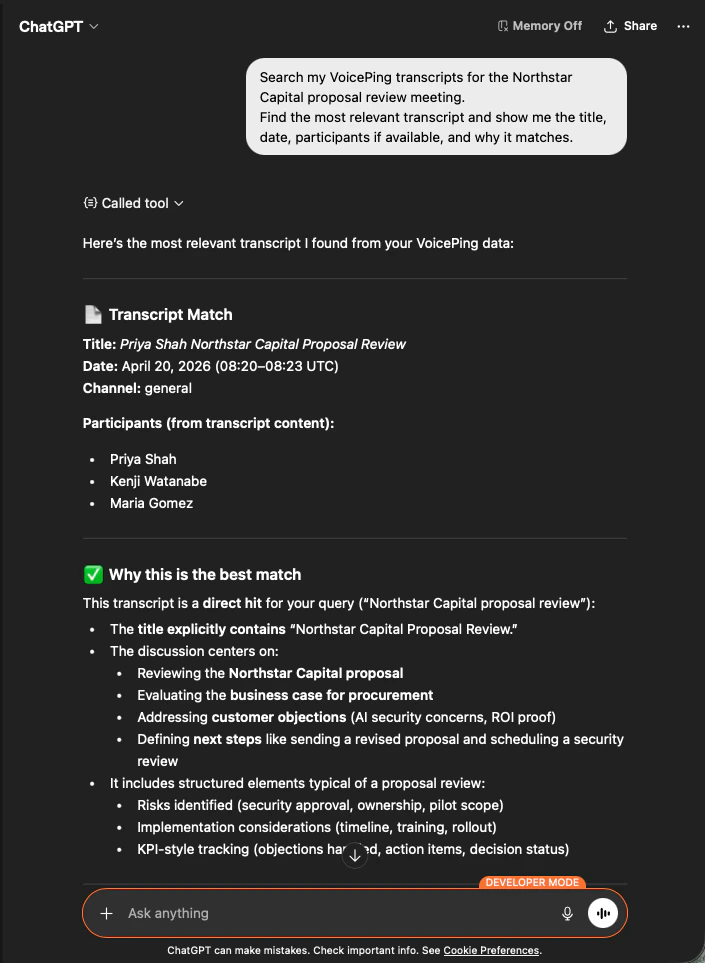
Search my VoicePing transcripts for the Northstar Capital proposal review meeting.
Find the most relevant transcript and show me the title, date, participants
if available, and why it matches.
AIは該当する議事録を特定し、参加者を列挙し、なぜ一致するかを説明します ― 提案書が正しい会議を根拠にしていることを確認できます。
ChatGPT identifying the Northstar Capital proposal review transcript with participants and match reasoning
2

提案書の構造化インプットを抽出

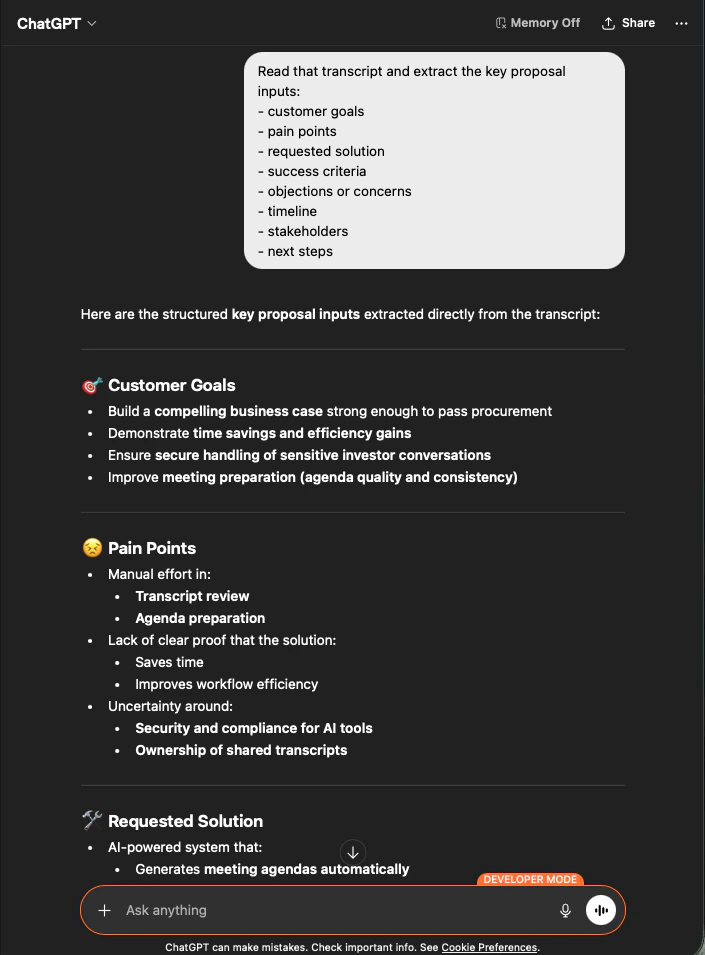
Read that transcript and extract the key proposal inputs:
- customer goals
- pain points
- requested solution
- success criteria
- objections or concerns
- timeline
- stakeholders
- next steps
AIは、依頼したグループ分けのままインプットをすべて抽出します。これが提案書の骨格です ― 新たに作り出されたものはなく、すべて議事録に根拠があります。
ChatGPT extracting structured proposal inputs — customer goals, pain points, requested solution — from a Northstar Capital transcript
3

提案書ドラフトを生成する

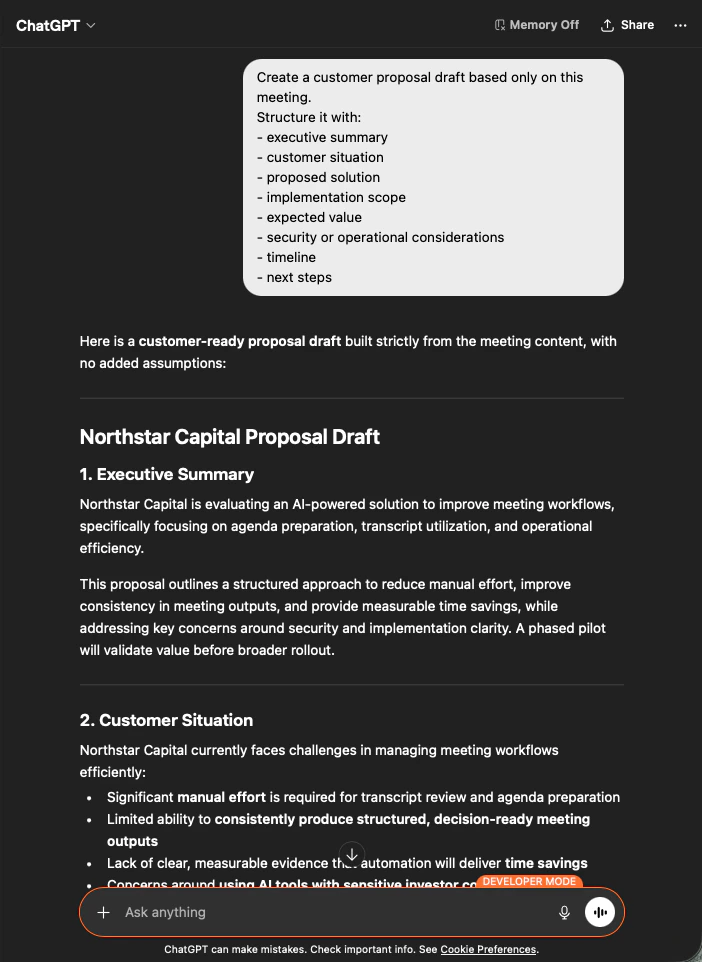
Create a customer proposal draft based only on this meeting.
Structure it with:
- executive summary
- customer situation
- proposed solution
- implementation scope
- expected value
- security or operational considerations
- timeline
- next steps
得られるのは完全な提案書ドラフトです ― 最初にエグゼクティブサマリ、続く各セクションは会議内容のみから埋められます。あとはトーンを整えて送信するだけです。
ChatGPT producing a customer-ready Northstar Capital proposal draft built strictly from meeting content
AIに 「based only on this meeting」 および 「with no added assumptions」 と明示することが、そのまま送れる提案書と、一行ずつファクトチェックが必要な提案書を分ける要因になります。

次のステップ

外部アクセスの概要

スコープ、ライフサイクル制御、イベントログのハブに戻る。

MCP Accessの有効化手順

Claude、ChatGPT、Codex、Claude Code、Gemini CLI のセットアップガイド。