サブスクリプション監査に必要な内容は、PCの Billing セクションとモバイルの Billing ハブにまとまっています。請求書PDFのダウンロード、領収書の取得、将来の請求書に表示される請求先項目の編集、イベントログの確認ができます。
PC (Billingタブ)
上部ナビゲーション → Billing を開きます。PCでは請求書・領収書・監査ログ用に3つのタブがあります。
| タブ | 用途 |
|---|
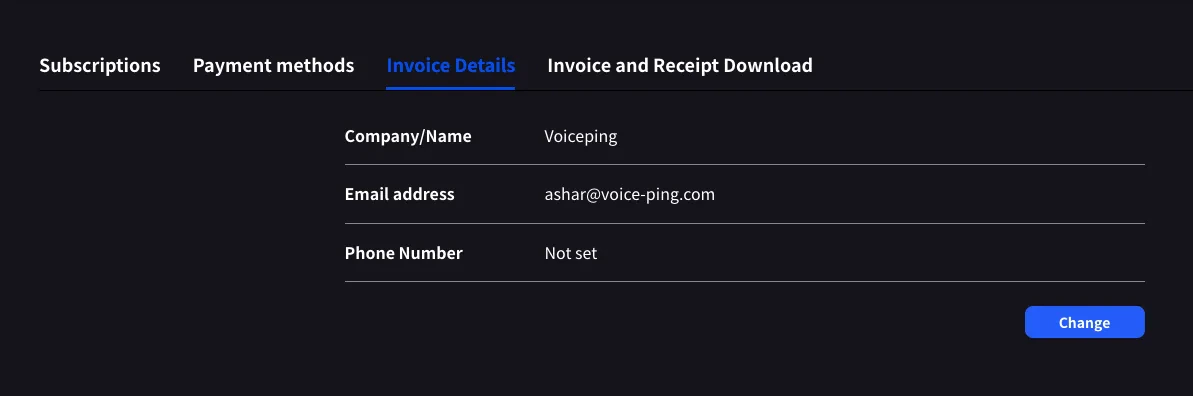
| Invoice Details | 請求書PDFに表示される請求先名、メール、電話番号 |
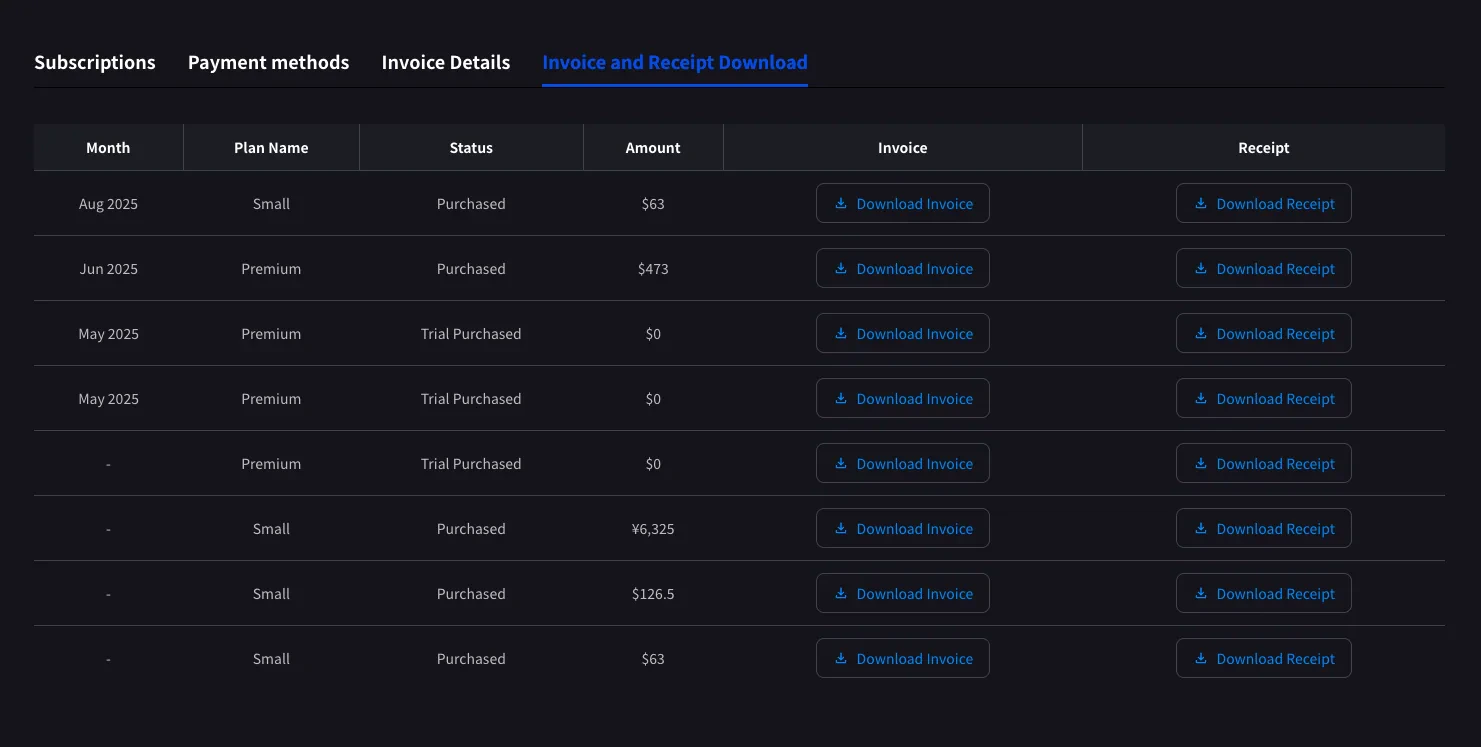
| Invoice and Receipt Download | 月別の請求一覧、請求書PDF、領収書のダウンロード |
| Billing History | Full subscription, payment-method, trial, cancellation, restore, renewal, and payment-failure event log |
Invoice Details
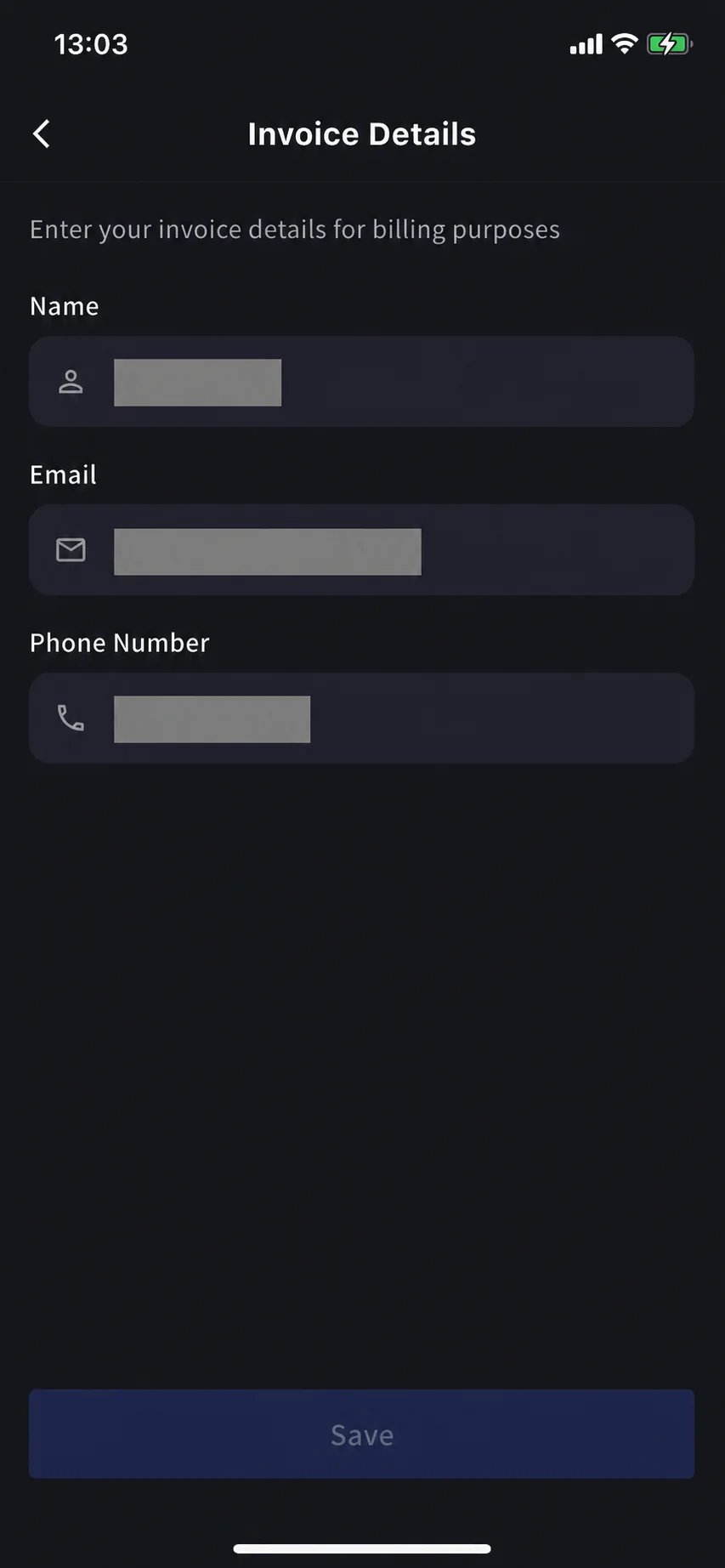
Stripeが請求書PDFに記載する名前、メール、電話番号を設定します。
Change をクリックして任意の項目を編集します。
次回請求日前に更新してください。Stripeは請求書生成時点の項目を読み取るため、後から編集しても過去のPDFには反映されません。
Invoice and Receipt Download
完了した請求は、月、プラン名、ステータス、金額、請求書PDFと領収書のダウンロードボタン付きで行として表示されます。
| ボタン | 開くもの |
|---|
| Download Invoice | 請求書PDF。共有、保存、経理への転送に使えます |
| Download Receipt | Receipt download or stored receipt link; if unavailable, the hosted receipt/invoice fallback opens |
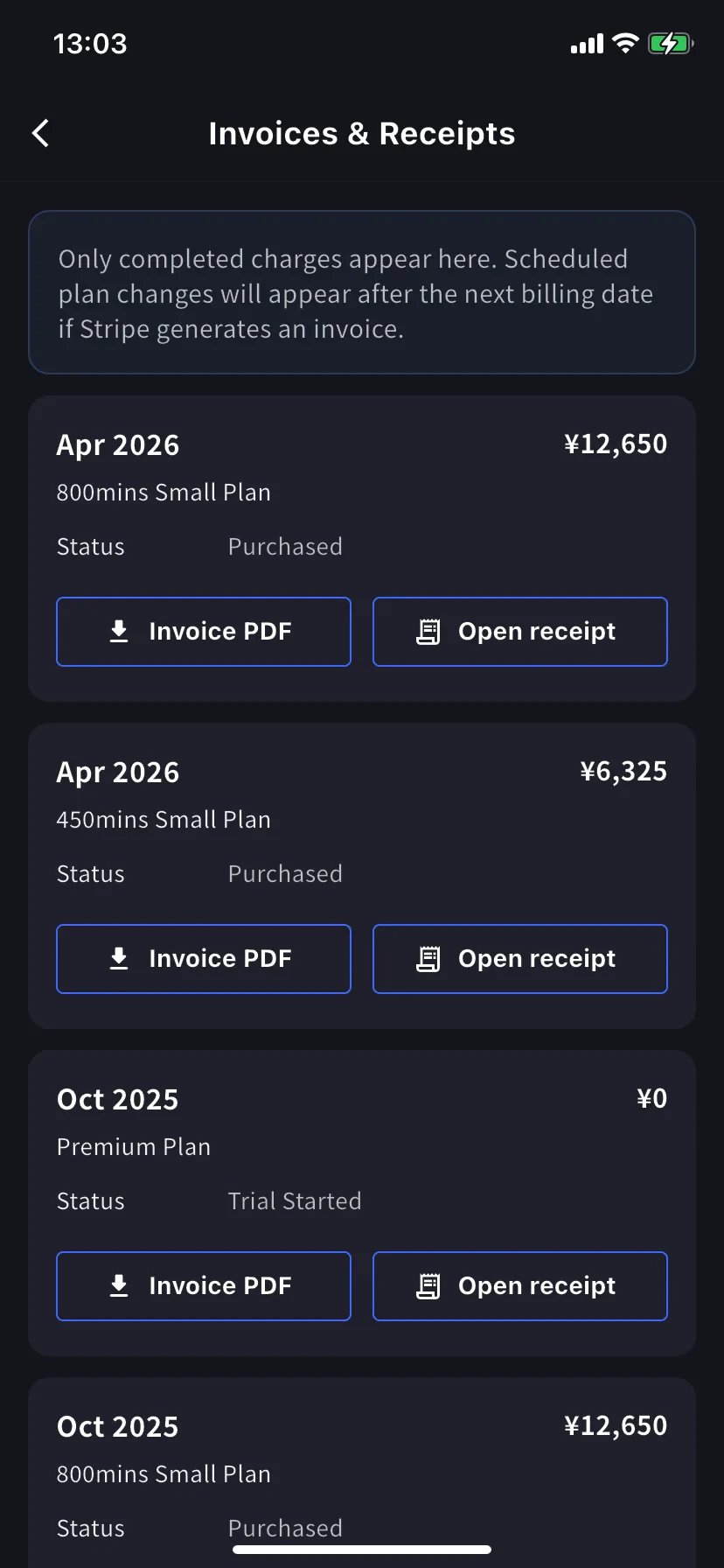
ここには完了した請求のみ表示されます。予定されたプラン変更は、次回請求日にStripeが請求書を生成した後に表示されます。ステータスが Trial Purchased の $0 行も記録されるため、トライアル開始日の確認に便利です。
Billing History
Use Billing History when you need the full audit trail, not only completed invoice rows.
| Column | What it shows |
|---|
| Status | Event result, such as purchase, upgrade, scheduled change, cancellation, restore, payment-method change, trial update, renewal, or payment failure |
| Event Date (UTC+9) | When the billing event was recorded |
| Plan Name | The plan involved in the event, including tiered Individual / Small minute labels when available |
| Start Date / End Date | The subscription period affected by the event |
| Price | The billed amount when the event has a displayable charge |
Use Billing History for “what changed and when?” Use Invoice and Receipt Download when finance needs the actual invoice PDF or receipt.
Mobile (Billingハブ)
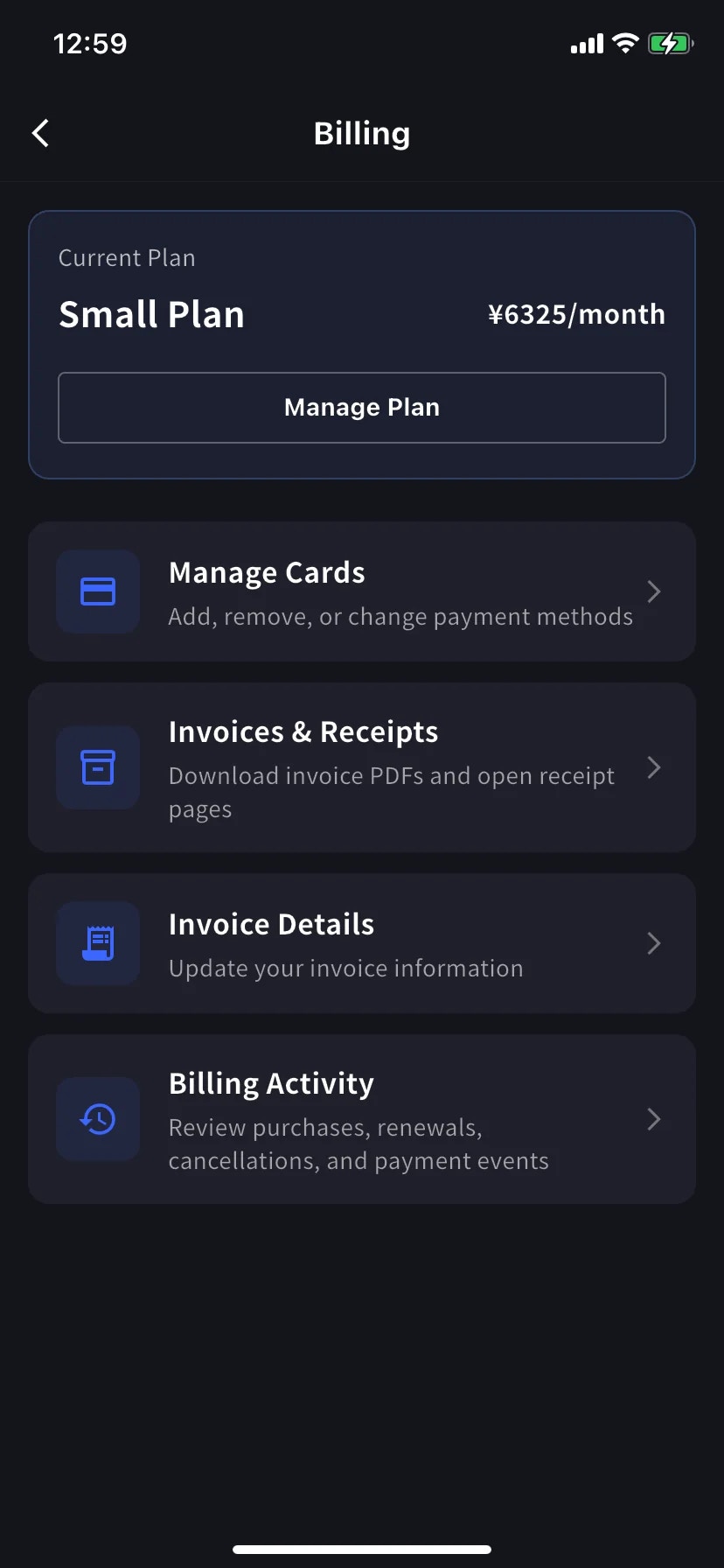
モバイルアプリでは同じ機能が Billing ハブに集約され、さらにすべてのサブスクリプション操作を記録するイベントログ (Billing Activity) も確認できます。
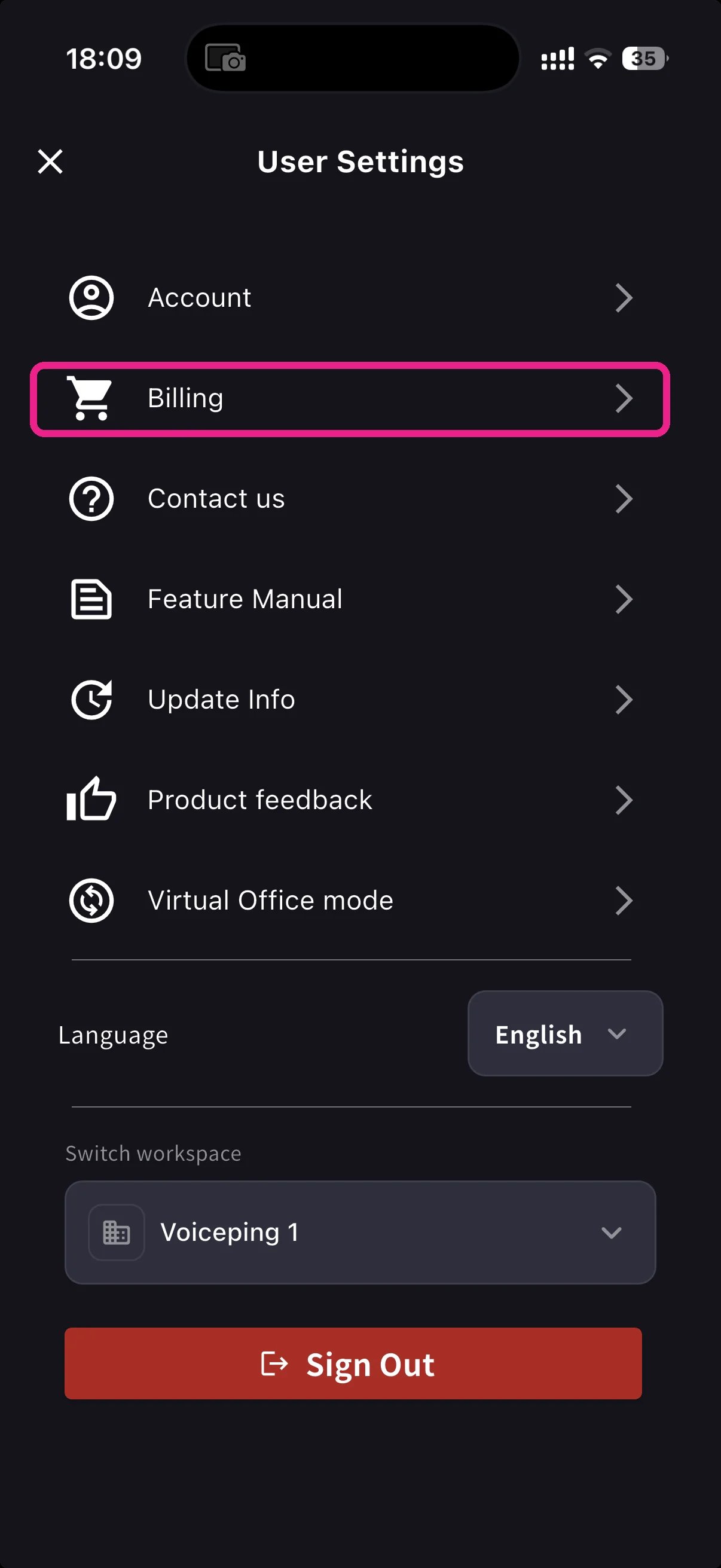
Billingハブを開く
ホーム画面のサイドメニューを開き、Billing (カートアイコン) をタップします。 ショートカットを選ぶ
Current Planカードの下に、請求書関連の3つのショートカットがあります。| Shortcut | 用途 |
|---|
| Invoice Details | 請求先名、メール、電話番号 |
| Invoices & Receipts | Invoice PDFs and receipt downloads or stored receipt links |
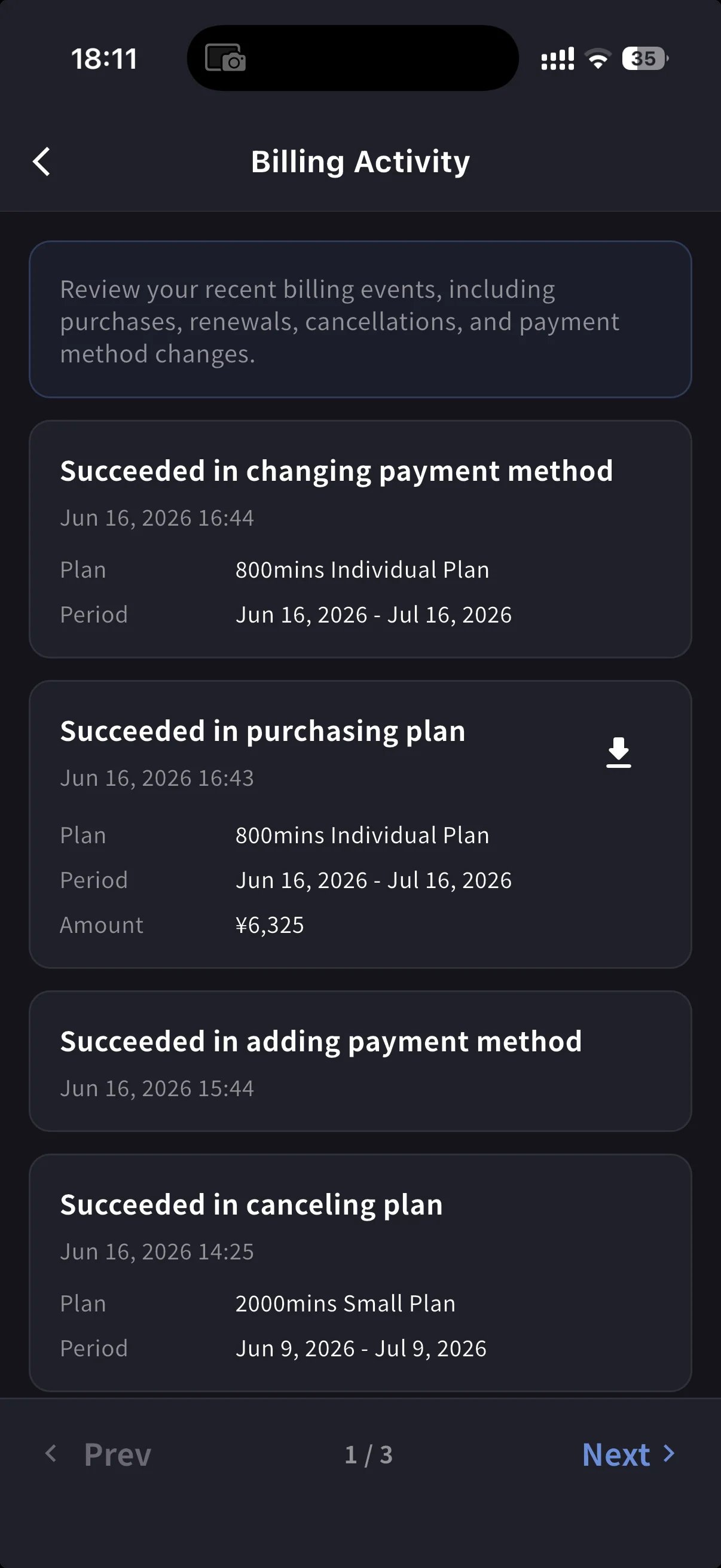
| Billing Activity | すべてのサブスクリプション操作のイベントログ。タイムスタンプとIP付き |
Invoice Details (mobile)
PCタブと同じ項目、つまり請求書PDF用の名前、メール、電話番号です。
次回請求日前に更新してください。Stripeは請求書生成時点の項目を読み取るため、後から編集しても過去のPDFには反映されません。
Invoices & Receipts (mobile)
過去の請求は月別カードで表示されます。各カードには2つの操作があります。
| ボタン | 開くもの |
|---|
| Invoice PDF | ダウンロード可能な請求書PDF。共有、保存、転送に使えます |
| Open receipt | Receipt download or stored receipt link; if unavailable, the hosted receipt/invoice fallback opens |
Billing Activity (mobile only)
イベントログです。ワークスペースがサブスクリプションに対して行った操作を一か所で確認できます。
各行には次の情報が表示されます。
- イベント名 — 例: Succeeded in upgrading plan、Subscription will be canceled on the next payment date、Succeeded in restoring subscription
- タイムスタンプ (
YYYY/MM/DD HH:MM)
- プラン、請求周期、金額 (該当する場合)
- IP Address — 誰がどこから操作したかを監査 / セキュリティ確認できます
- 完了した請求のダウンロードアイコン — そのイベントの請求書PDFを取得します
メールを探さなくても「いつ実行されたのか」を確認できます。
On PC, use Billing History for the full event log and Invoice and Receipt Download for finance documents. On mobile, Billing Activity gives a compact activity log with timestamps, IP address, and invoice download actions where available.
ヒント
- 請求先変更は将来の請求書にのみ反映されます。 再発行を避けるため、次回請求日前にInvoice Detailsを更新してください。
- Receipts vs invoices. The invoice is the charge document. The receipt action opens the stored receipt/download when available; otherwise it opens the hosted Stripe fallback.
- モバイルとPCは同期されます。 片方で編集した内容はもう片方にもすぐ反映されます。