
Monitoring and recording development for DaaS
DaaS (Desktop as a Service) provides remote access to a cloud-hosted desktop. This approach is also used in virtual desktop environments such as those described by Google Cloud. VoicePing is developing and testing process monitoring, notifications and screen recordings for reviewing work in enterprise remote-desktop environments. The purpose is to help establish what changed and the affected scope when human error or suspicious activity occurs.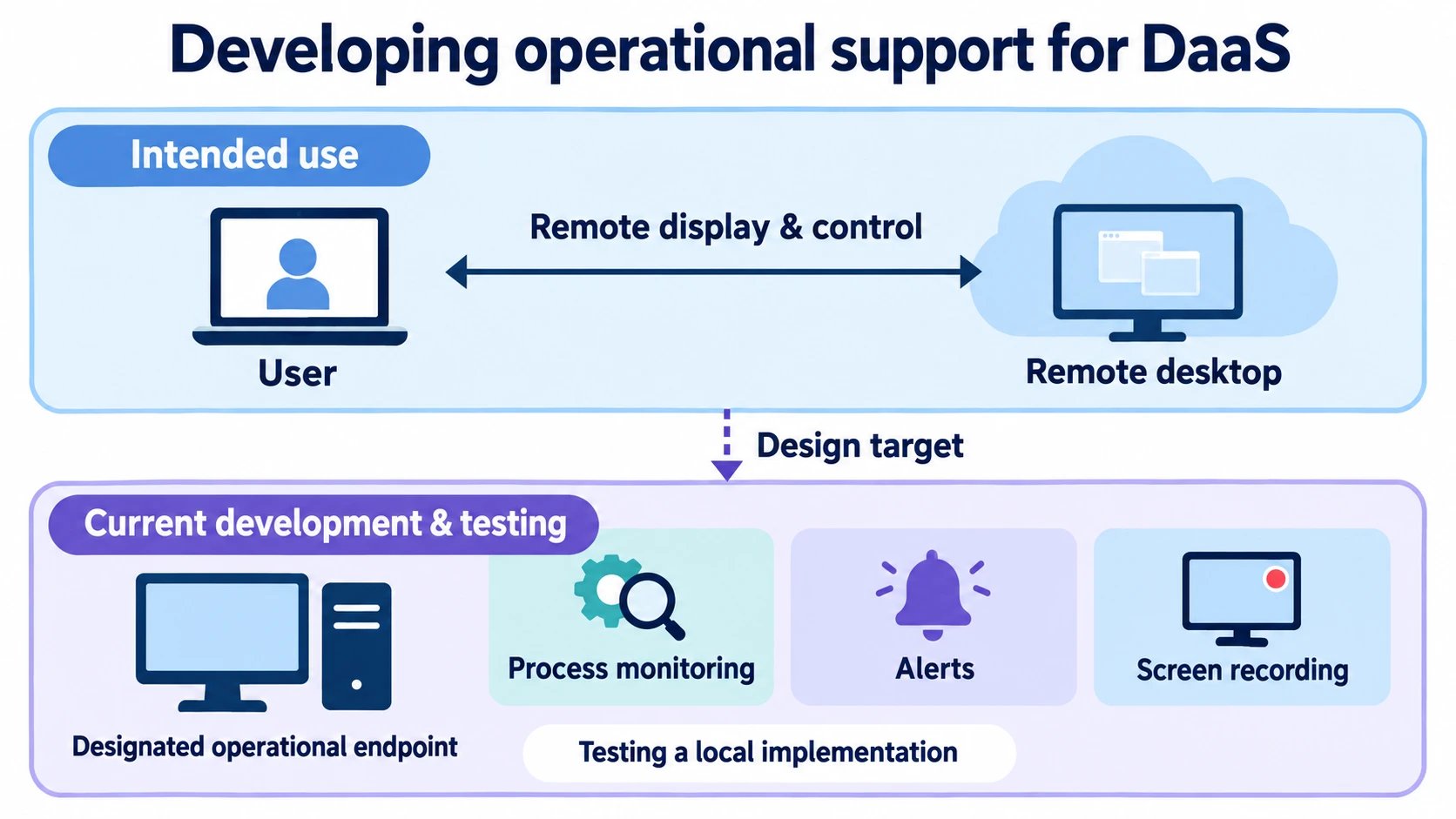
A development concept for DaaS use. Current implementation checks take place on designated operational endpoints.
Monitoring processes, configuration and services
On supported operational endpoints, execution and configuration changes can trigger notifications for review. Remote PCs and servers are also checked for service health and administrative-access settings. Coverage varies by deployment environment.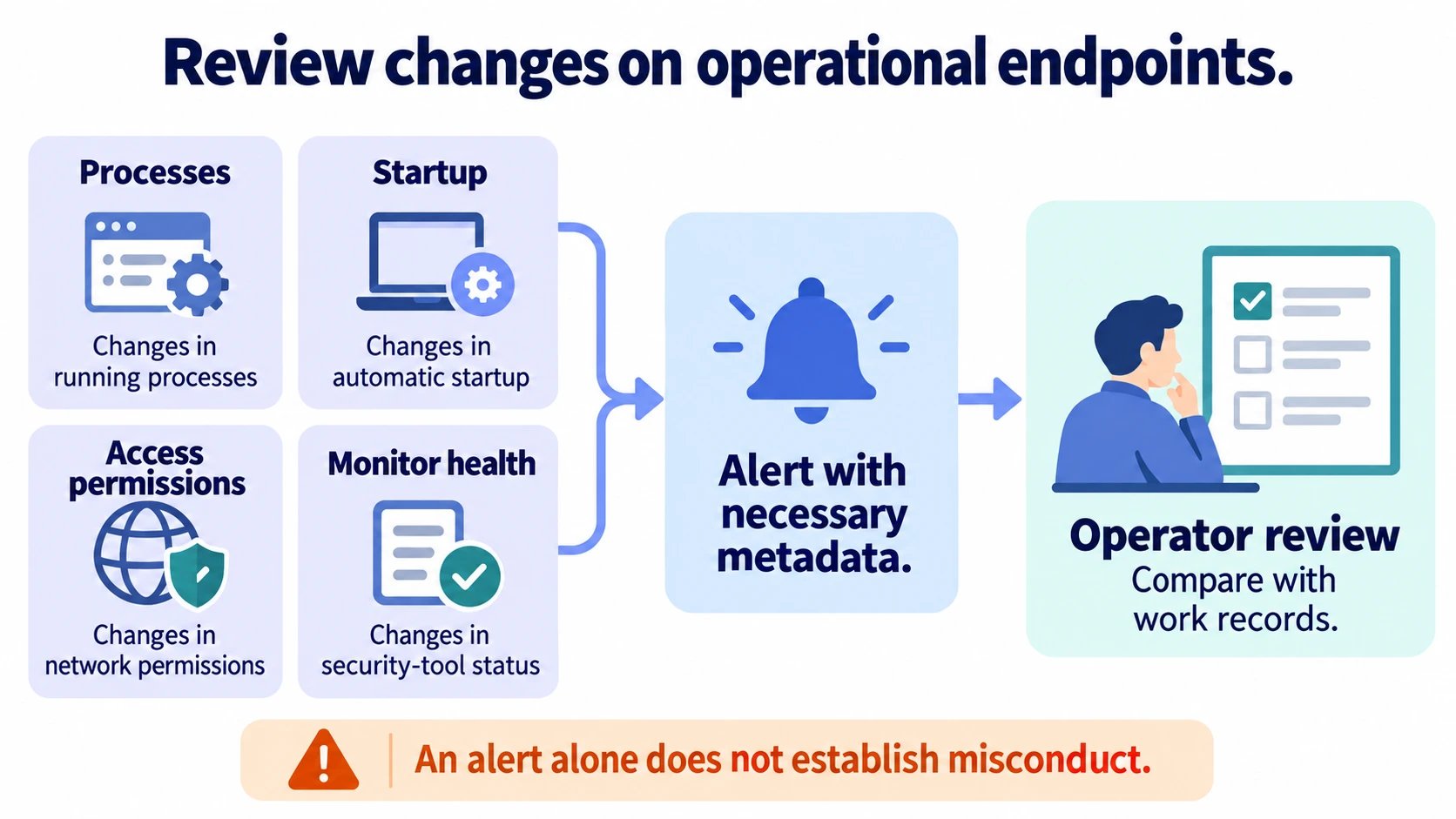
Alerts are investigation leads. An operator checks whether a change was legitimate.
Screen-recording purpose and privacy
The recording capability under development for DaaS operations periodically stores work screens in supported environments for review by date and time. It helps correlate changes or suspicious file access with process and alert records. The design stops recording during inactivity, locking and sleep. In the implementation reviewed, images are stored on the endpoint and the recorder itself does not send them over the network. Notifications use necessary information such as the detection reason and time. They do not transmit images, private-key contents, raw command arguments or keystrokes.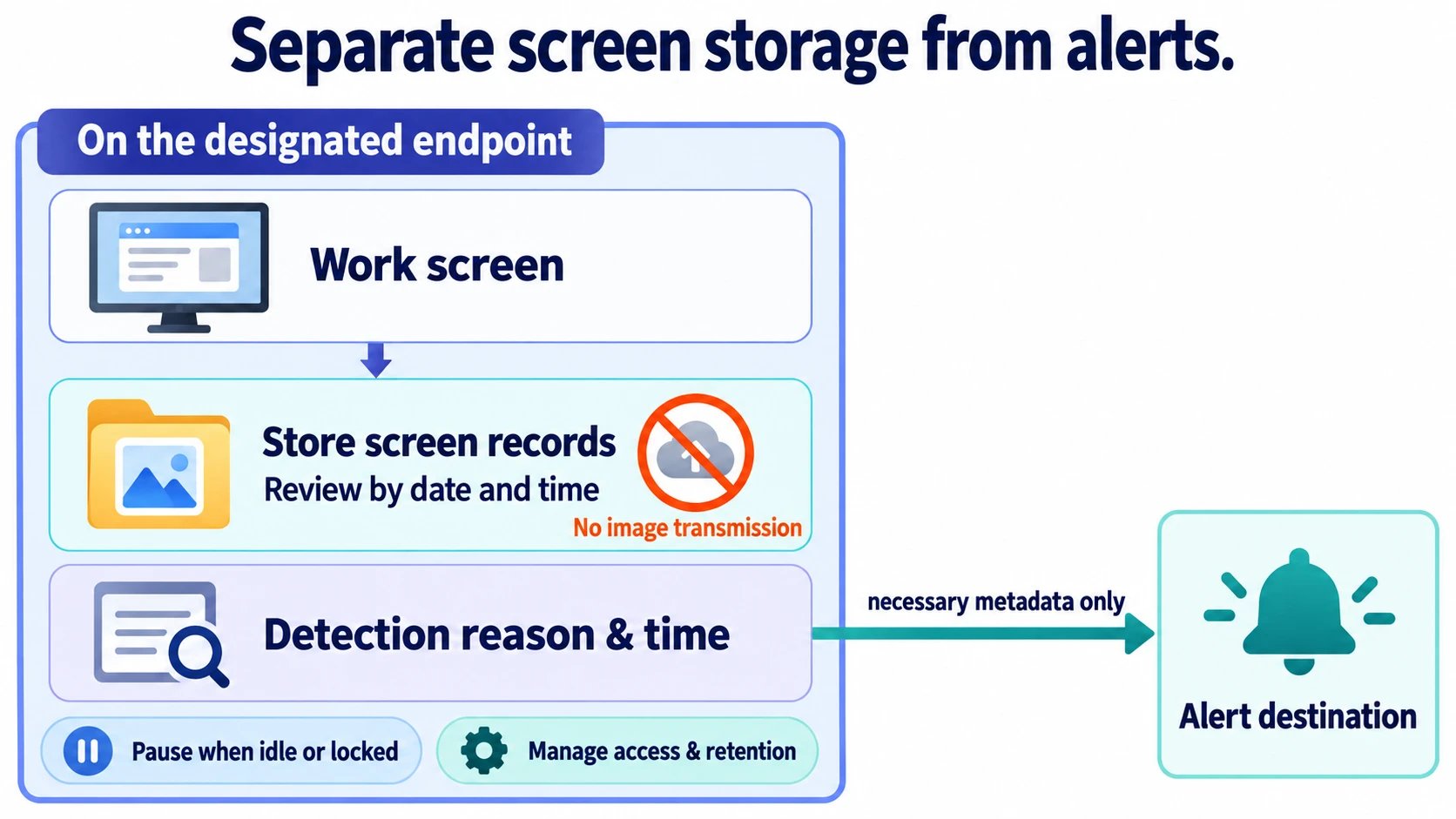
Screen storage and alert delivery are separate, with notification content kept limited.
Manual checks and maintenance
Operators compare automated findings with actual configuration and runtime state, then make necessary changes. Recorded maintenance includes SSH-key cleanup, public-exposure review, removal of unnecessary background/scheduled tasks and post-deployment verification.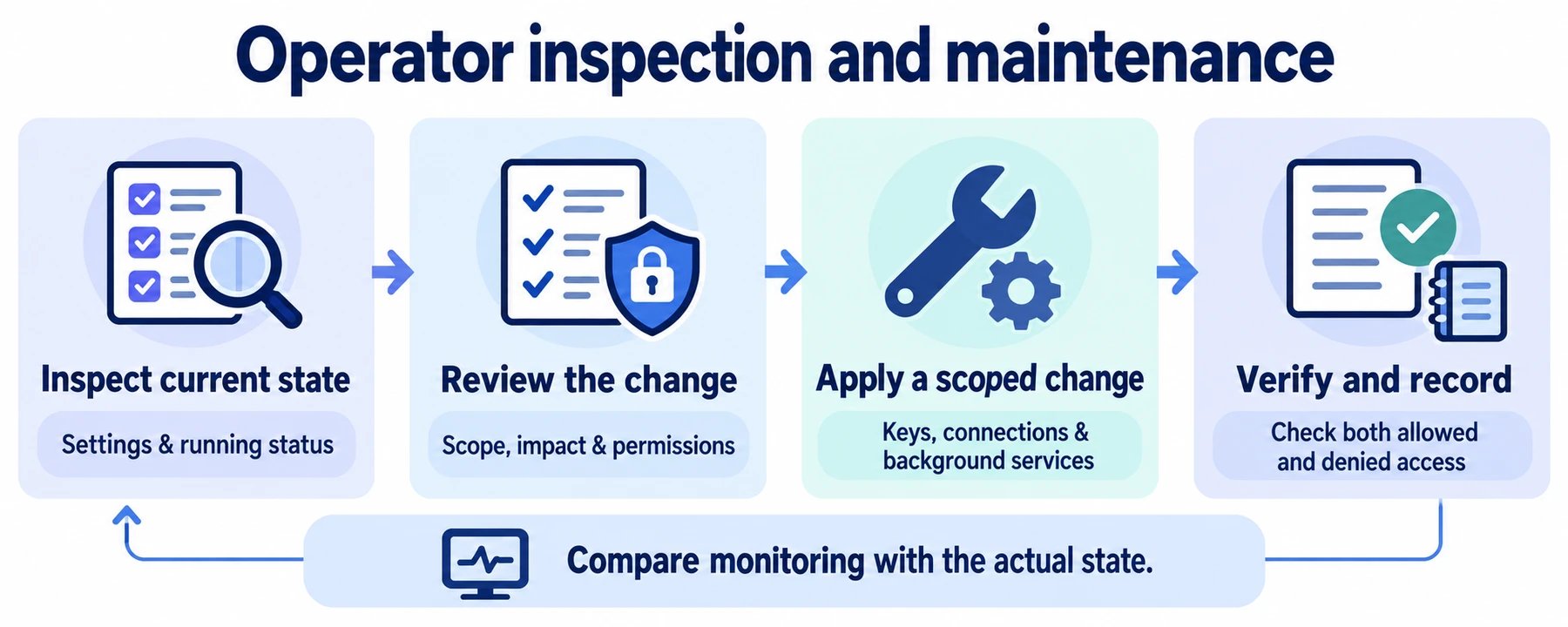
Review the current state, limit the change to its intended scope, then verify and record the result.
Suspected human error or malware
Investigations distinguish mistakes, suspicious software and legitimate administrative work. Operators correlate timestamps, configuration changes, processes and, when needed, screen records to establish impact.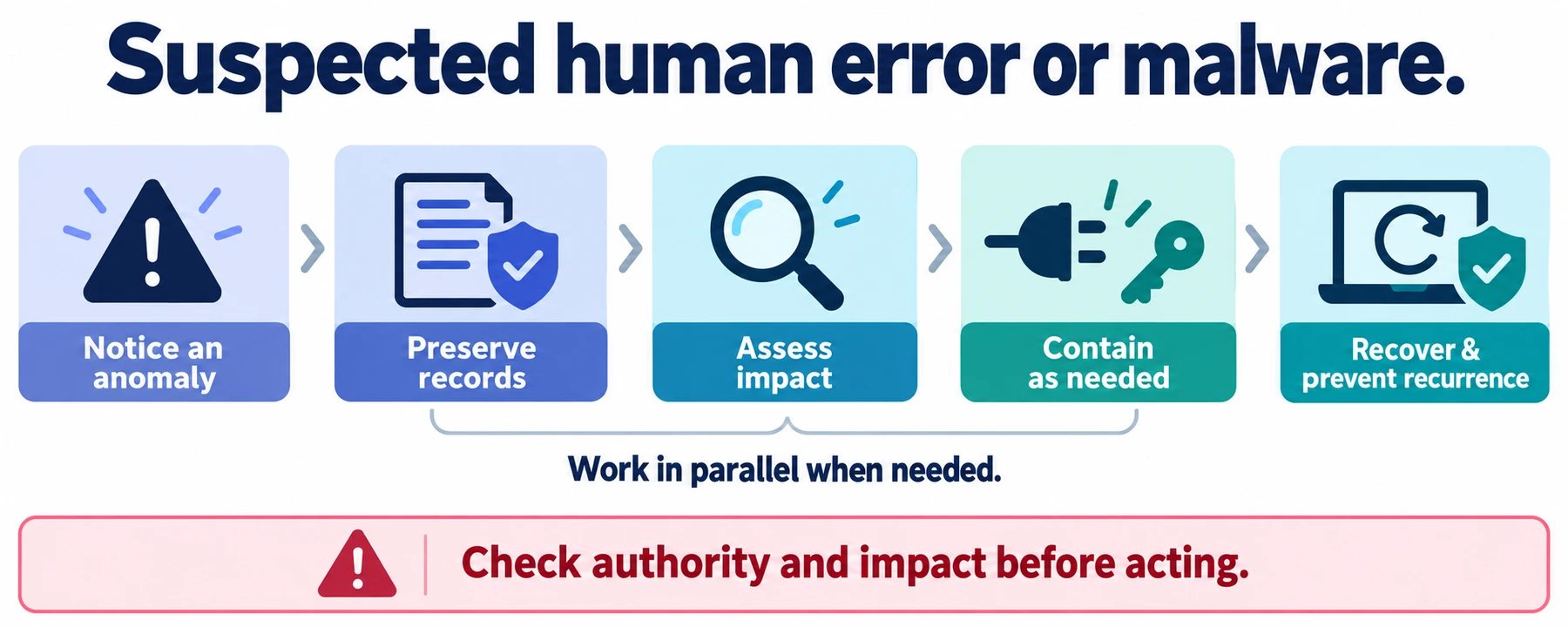
A response approach from detection through investigation and recovery.
Software supply-chain review
Preparing for supply-chain attacks
Supply-chain attacks introduce malicious code through software such as libraries and development tools. A familiar package can still be compromised through a publisher account or a tampered update. VoicePing’s introduction/update review policy covers direct libraries and their indirect dependencies. Build tools, extensions, native executables and AI model-loading code are also within scope.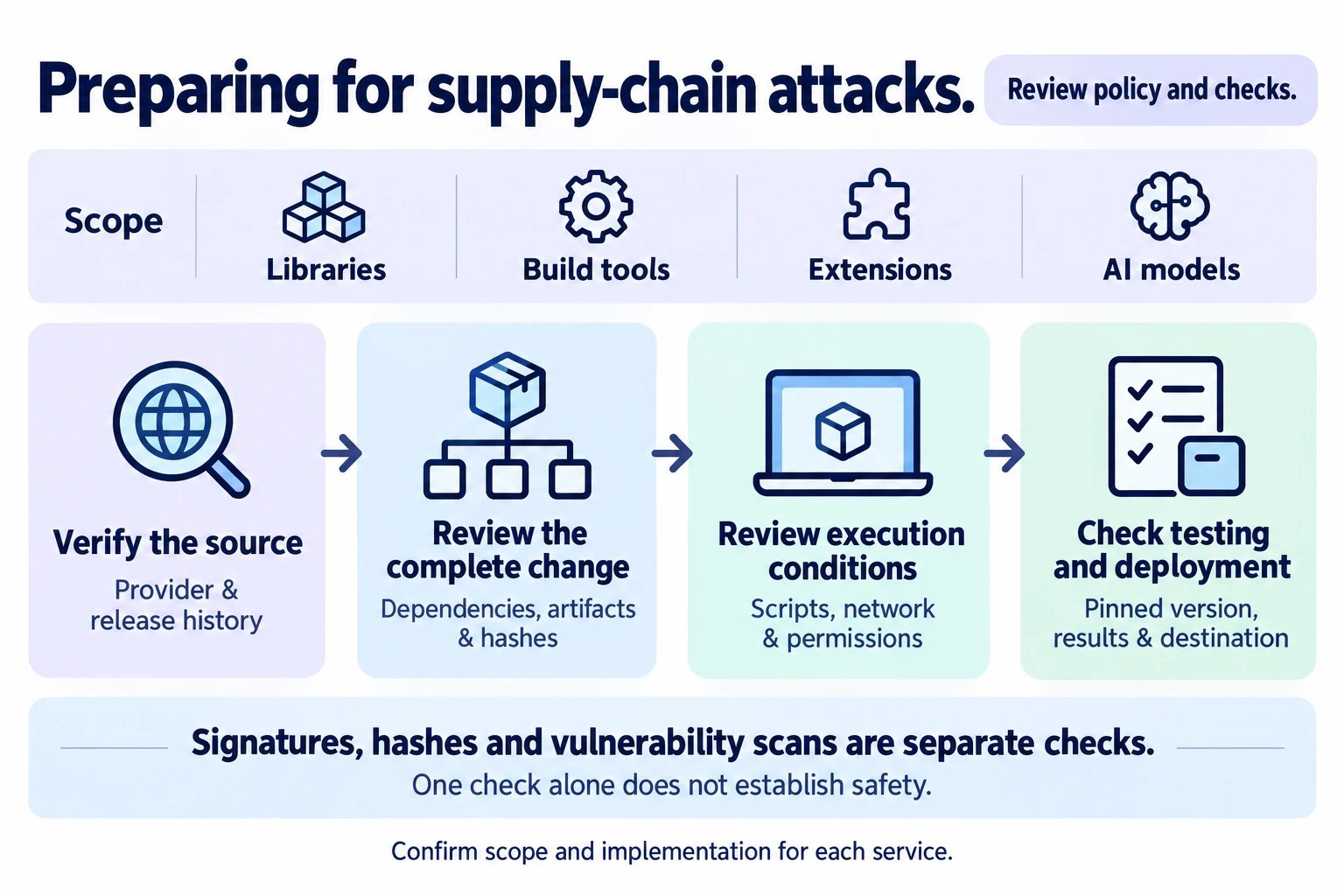
Review areas for software introduction and updates. Applicable rules and implementation records are checked per service.
What is reviewed before use
A hash checks whether bytes match the reviewed artifact; a signature helps establish the publisher relationship; a vulnerability check compares against known information. Passing any one of these does not establish that software contains no malicious behavior.
Records and scope
Review records include dependency inventories, artifact/publication comparisons, validation with install scripts disabled, vulnerability remediation and isolated regression tests. Selected translation-model runtimes also pin model revisions and compare file hashes with stored records. Where a model loads custom code, pinning the model name alone is insufficient. Model artifacts and loading code need review separately from API input validation. AI output and instructions in external documents are not treated as authorization to execute code or change permissions. Related repository changes were rechecked on October 21, 2026. They include mandatory review rules, advisory guidance for development assistants and changes still being rolled out; coverage is not uniform. Mandatory reviews hold introduction or execution when evidence is insufficient or suspicious behavior remains. Procedure updates, actual reviews and checks on deployed environments are recorded separately. Work on existing dependencies remains ongoing. This does not assert automatic enforcement everywhere, completed review of every historical artifact or zero vulnerabilities. If suspicious execution is suspected, further execution is stopped, evidence is preserved and potential impact is investigated.Middleware vulnerability updates
Web servers, language runtimes and databases support the application and also need security maintenance. The following sources and workflow come from update records reviewed on October 21, 2026. They show how we assess a reported vulnerability, review the replacement software and check the result in the running service.Official sources used in recent reviews
A distribution may apply a security fix to an older version, known as a backport. We compare its actual patch history and, when needed, source changes with the upstream advisory. A version banner or a clean scanner result alone is insufficient to establish the affected scope.
From an advisory to a verified update
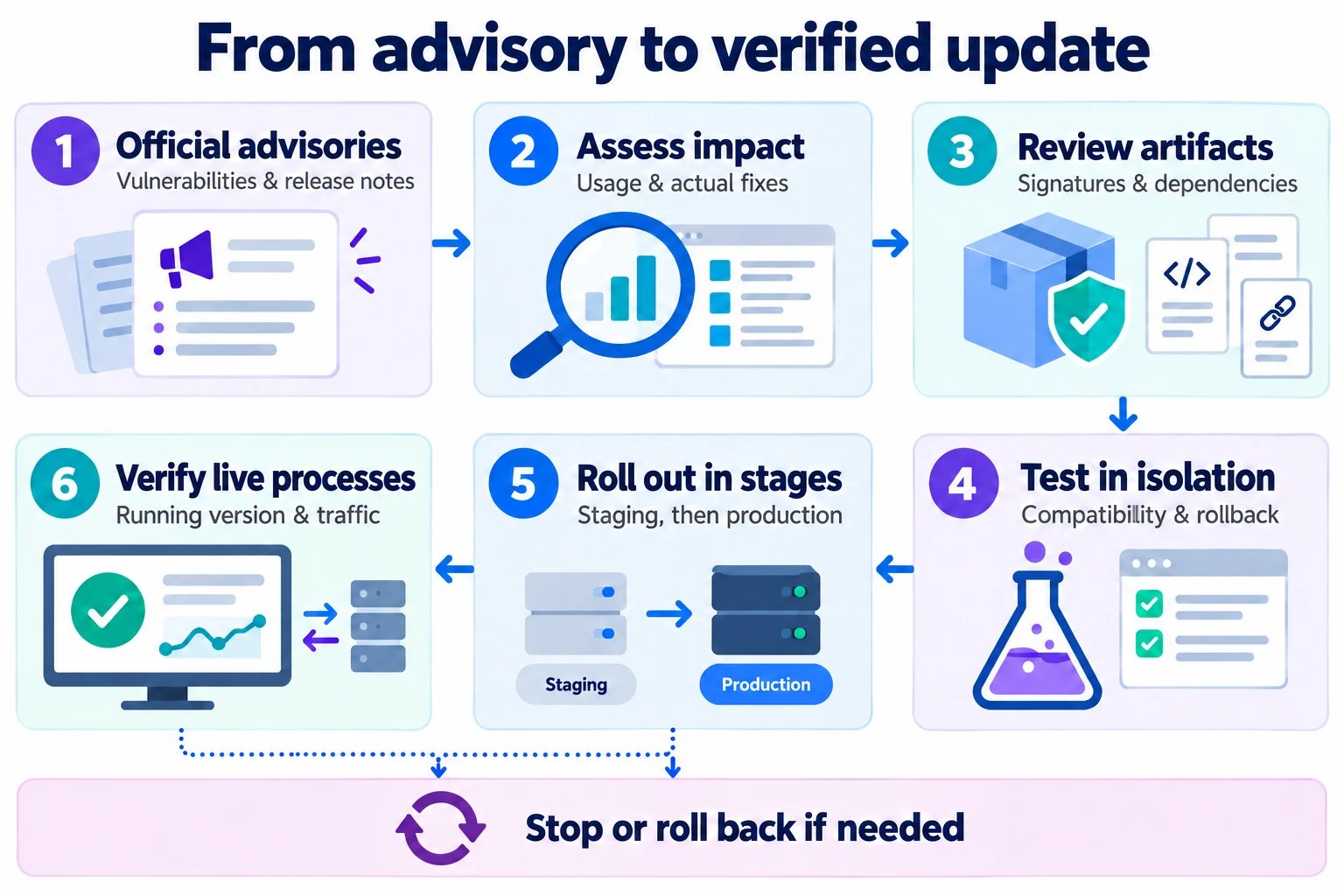
A summary of reviewed update procedures. Required tests and rollout steps depend on the service.
- Read the official notice. Identify the affected releases, triggering conditions and the published fix from the sources above.
- Assess impact. Compare the advisory with the installed package, enabled features, exposure and application usage. Record the reason for updating or for finding a condition inapplicable, along with unresolved findings.
- Review the replacement. Check the official distribution source, signed package metadata, available signatures, hashes, dependency changes and install behavior. The supply-chain review also applies to urgent security fixes.
- Test before rollout. Use an isolated environment without credentials or production data for initial execution. Check compatibility, affected requests, connections and the procedure for restoring the previous software and configuration.
- Prepare and deploy. Verify the staging result and recovery materials, then apply the authorized production change in controlled steps. Long-lived connections may require draining and reconnection; stopping or rolling back remains an option if checks fail.
- Verify what is running. Compare running processes with the reviewed executable and check service responses and relevant user functions. Installing a package does not replace an old process that is still serving requests. Record the deployed revision, result and any remaining work.
Recent examples and their status
- Nginx — production update verified. The reviewed website and translation-service updates adopted the security release 1.30.6. Reviews covered signed distribution metadata, source/package contents, install scripts and dependent libraries. Isolated tests checked TLS, routing, persistent connections and rollback. After rollout, operators checked the live master and worker executables, external HTTPS responses and relevant website or translation functions.
- Go — rebuilt service deployed. A vulnerability check identified a runtime issue in the speech service. The build toolchain was updated to the security release 1.27.3, followed by a rebuild, unit/race tests and a reachable-vulnerability check. The production record confirms the running build and executable identity, with speech and reconnection checks after rollout.
- MySQL — upgrade preparation verified. Separate major-version update work rehearsed compatibility and data checks in test environments, reviewed application-driver behavior and prepared recovery procedures. The reviewed PRs did not perform the production database upgrade. Database cutover and restore validation remain separate deployment activities.
Release and recovery verification
Before a change, review the target environment, diff, migrations and rollback procedure. After deployment, verify the actual running version, processes, responses and affected functionality.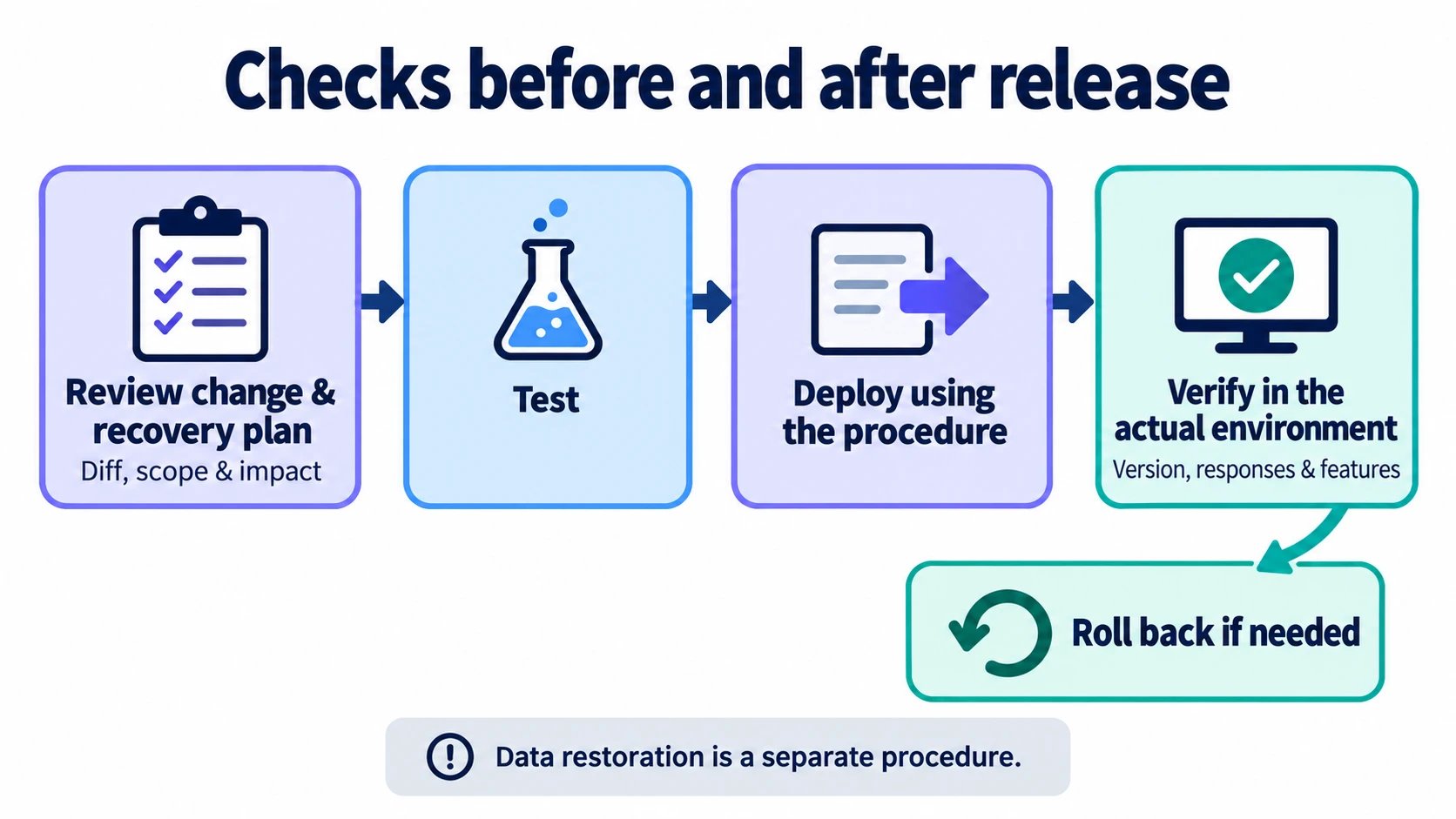
A code update is followed by verification in the running environment.
Official Links
Official Website
Visit our official website
X (Twitter)
Follow us on X
Like us on Facebook
Connect on LinkedIn